
Testing in the Editor
Write a flow's dolphin tests in the editor, run the battery, and commit the file CI will run.
Debugging a flow keeps its mocks and input in the editor's
own scratch file. The Testing tab turns them into a test: a real
<flow>_test.yaml beside your flows, with the same input and mocks plus what should
have happened. That file is committed, dolphin test runs it from a
terminal, and CI runs it too.
The tab appears only when the host stores suites for you (the standalone editor and
the platform both do). Running them needs dolphin alongside octo; see
DOLPHIN_BIN_PATH. Without it you can still
author: only the Run tests button goes dead, and it says why.
The tab
Pick Testing in the view switcher. The left rail lists your flows, the middle column is the suite's cases, and the right pane is the case you selected.
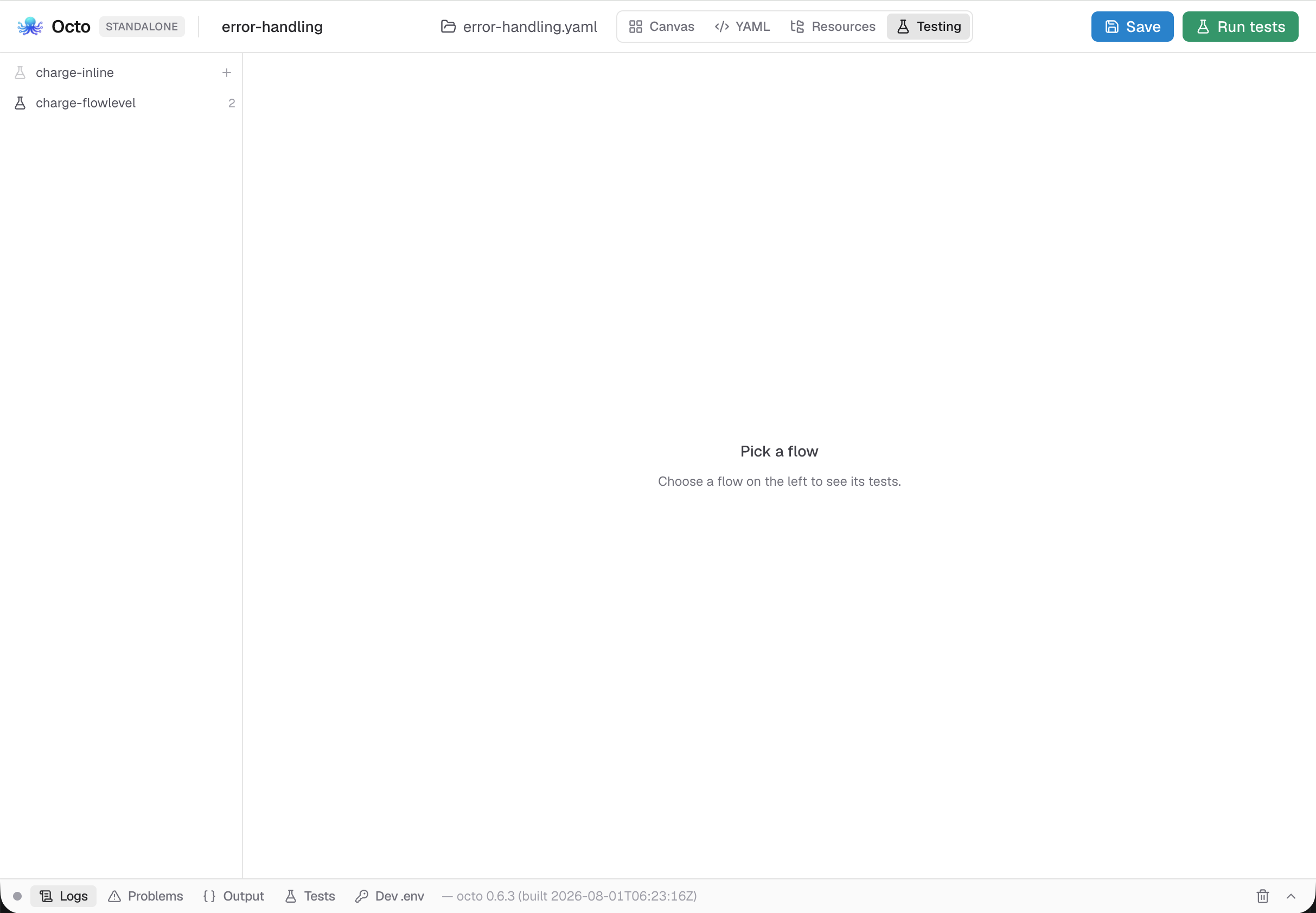
A flow with a suite shows how many cases it has; a flow without one shows a dimmed flask and offers to write one:
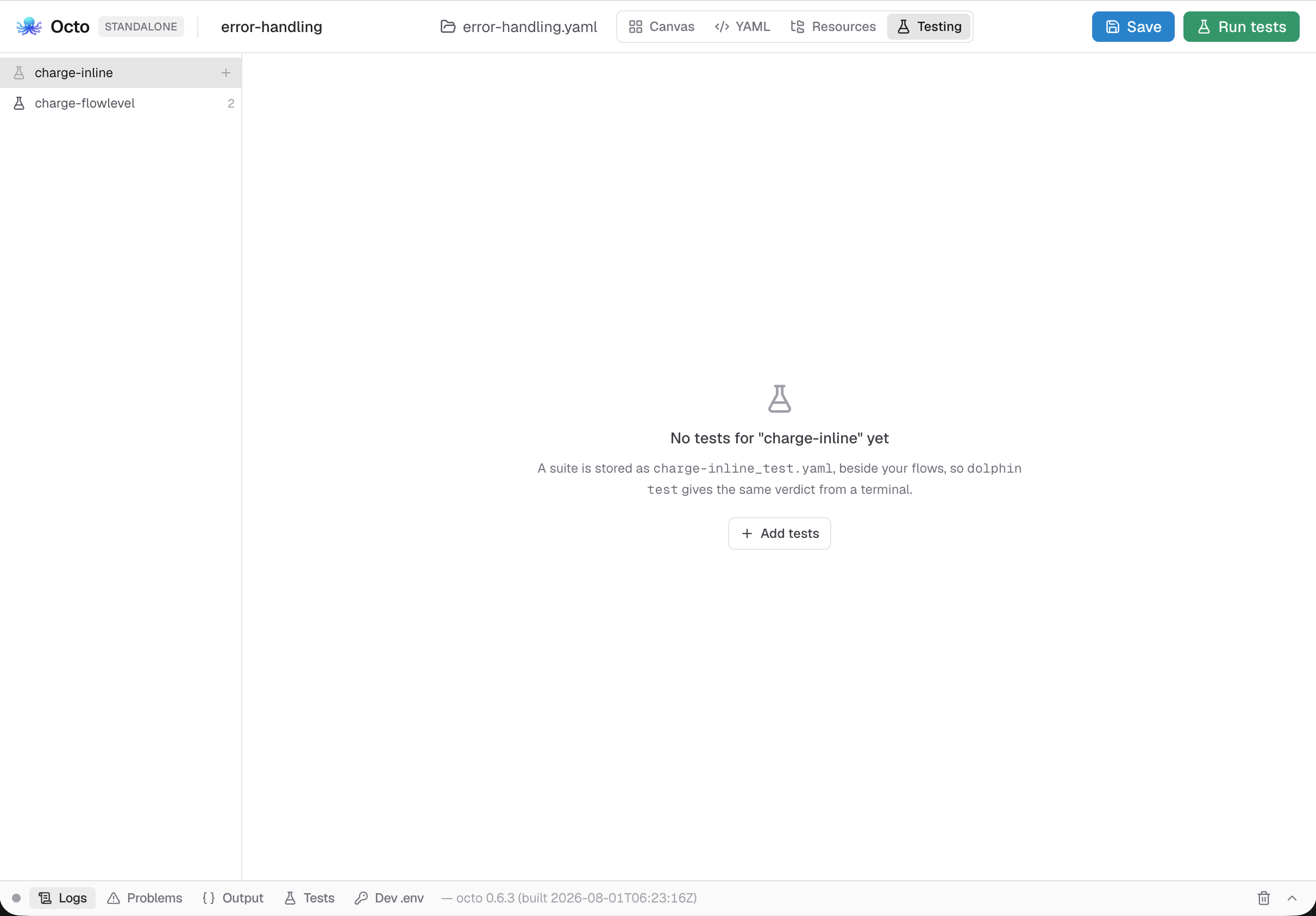
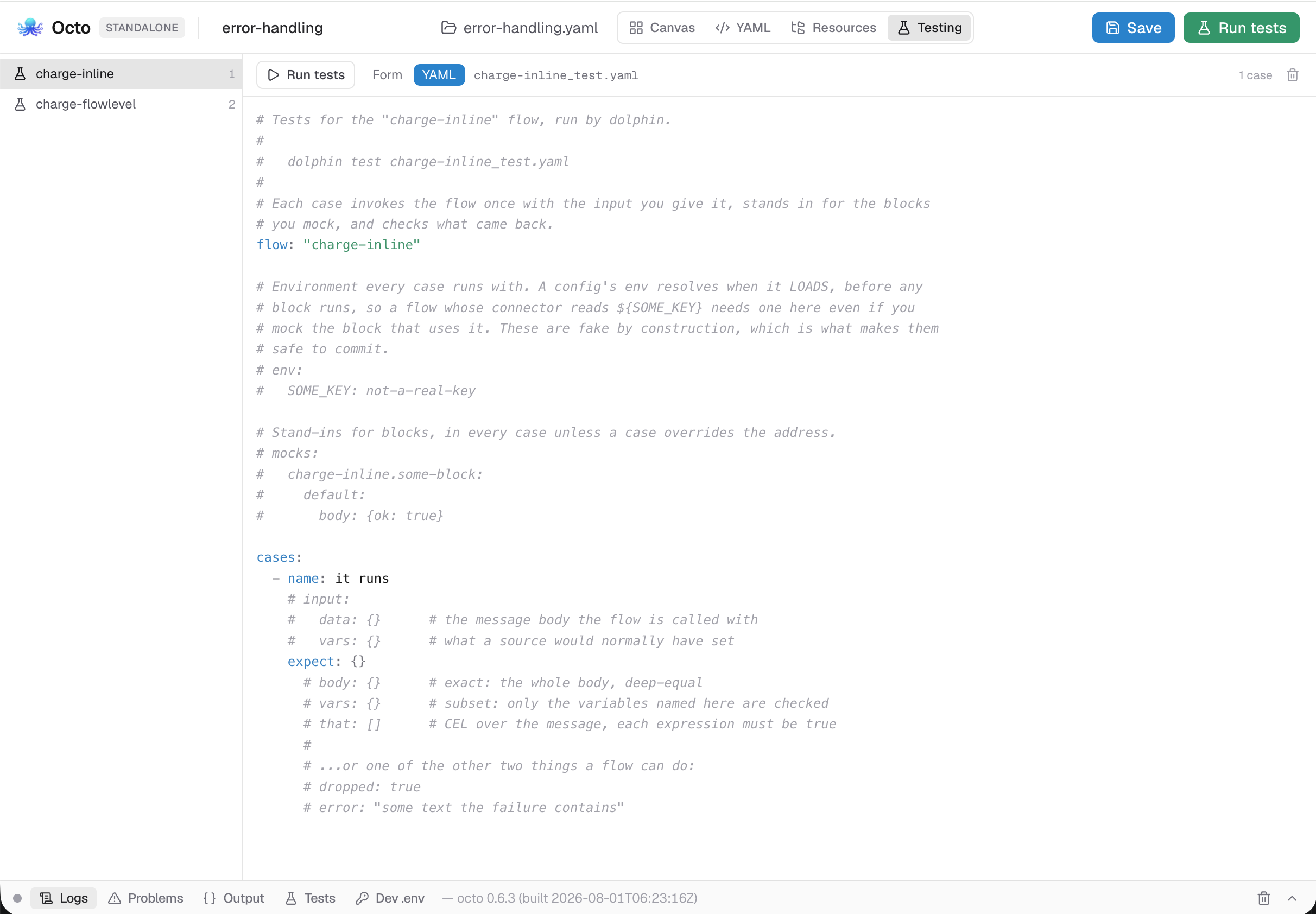
The scaffold carries a comment above every section a suite can hold:
A case, field by field
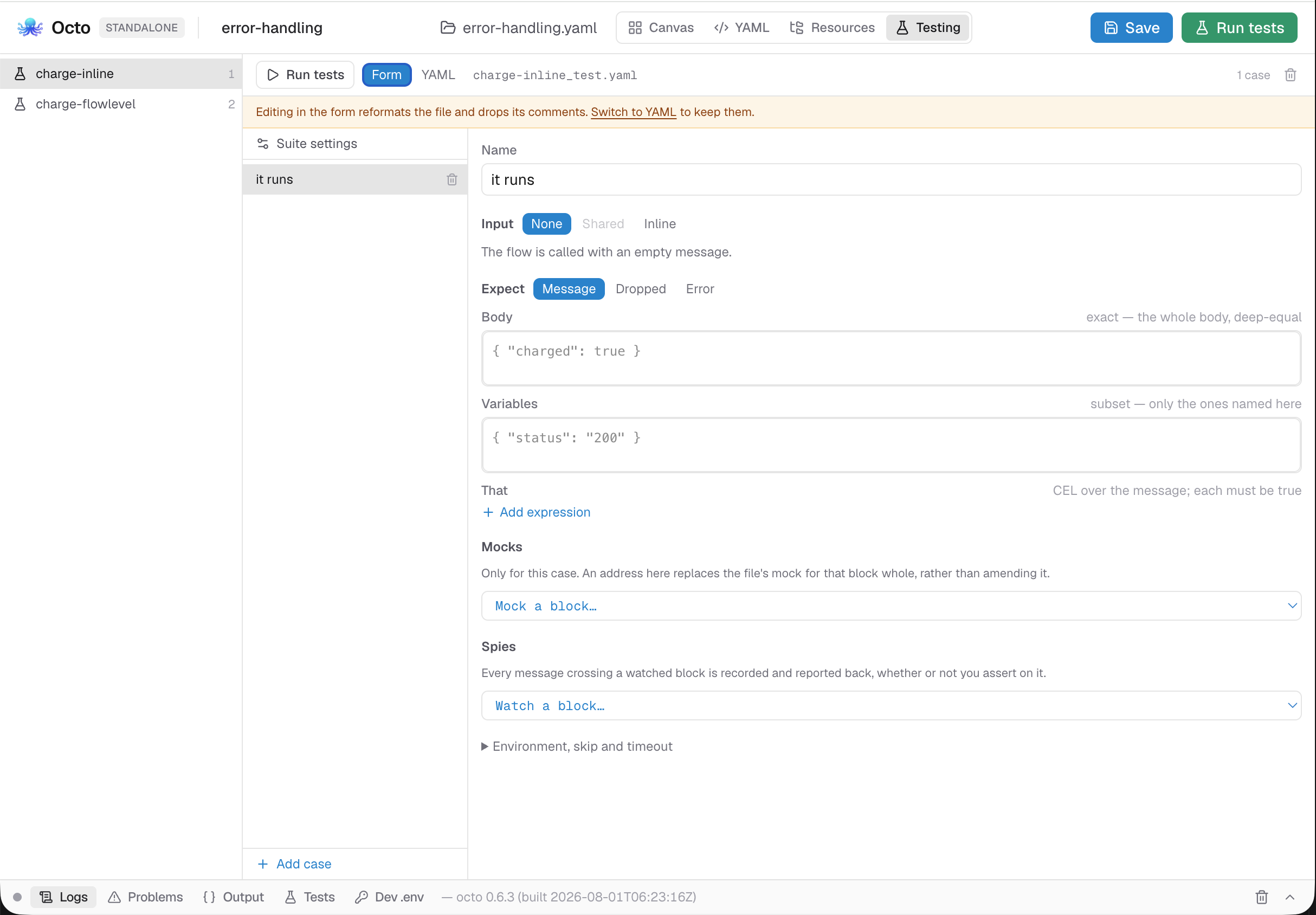
Every field is on one pane. Body is labelled exact and Variables subset.
Input is what the flow is called with: a body and the variables a source would have
set, written inline or pointed at one of the file's shared inputs:.
Mocks stand in for blocks. Addresses come from a picker over the blocks in the
flow. A mock at the file level applies to every case; a case's override replaces
the file's mock for that address whole rather than merging with it. A case can also
lift a file mock so that case runs the real block: the second picker, Run the real
block, offers the addresses the file mocks, and in the file it is a null on the
address.
A spec is a list of When… cases over the message the block received, and an Otherwise… default. Without the default, a message matching no case fails the block, because there is no real block left to fall through to.
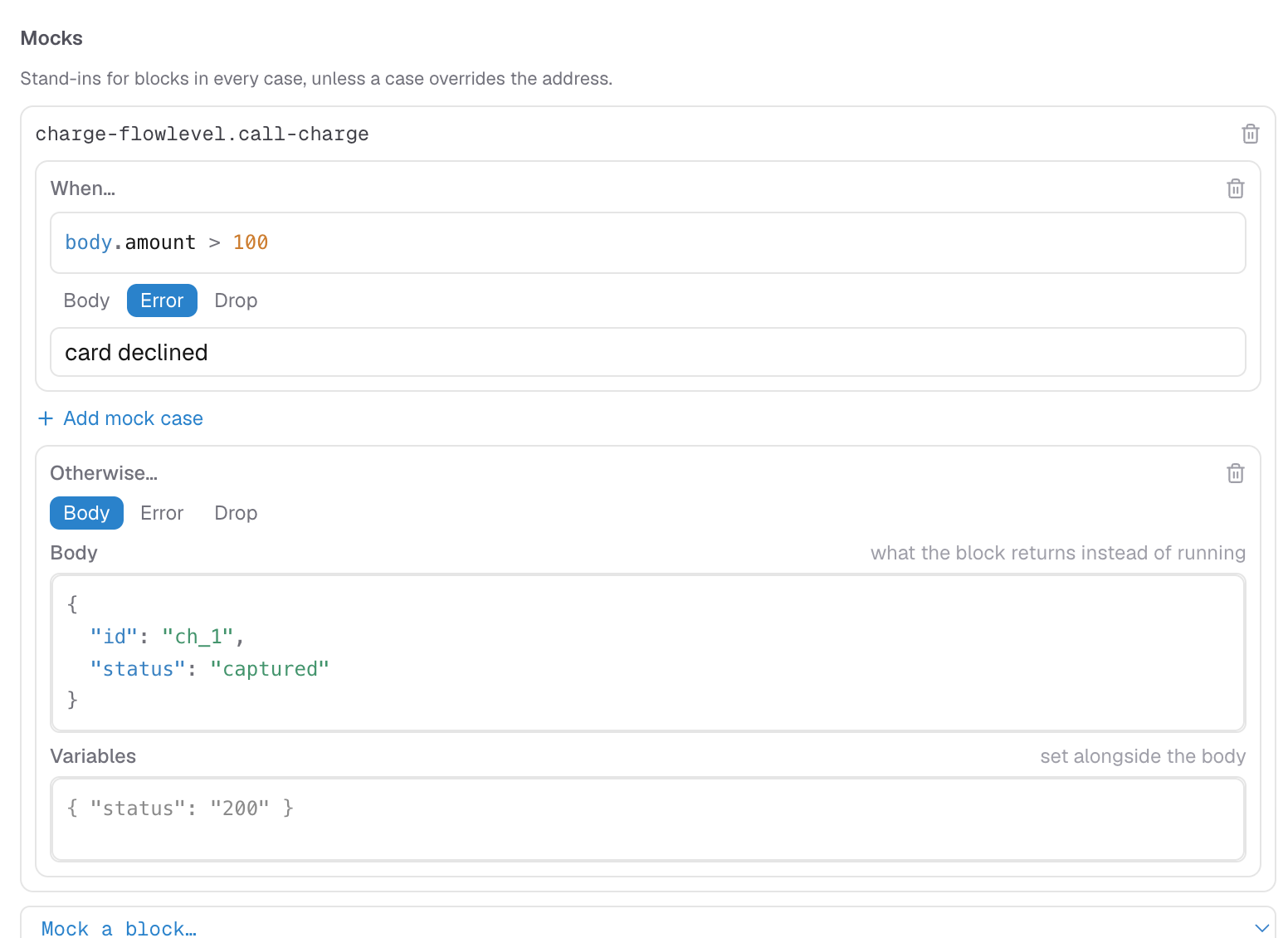
Expect is a three-way switch, because a flow does exactly one of three things: produce a message, drop it, or fail. dolphin rejects a case that asks for two.
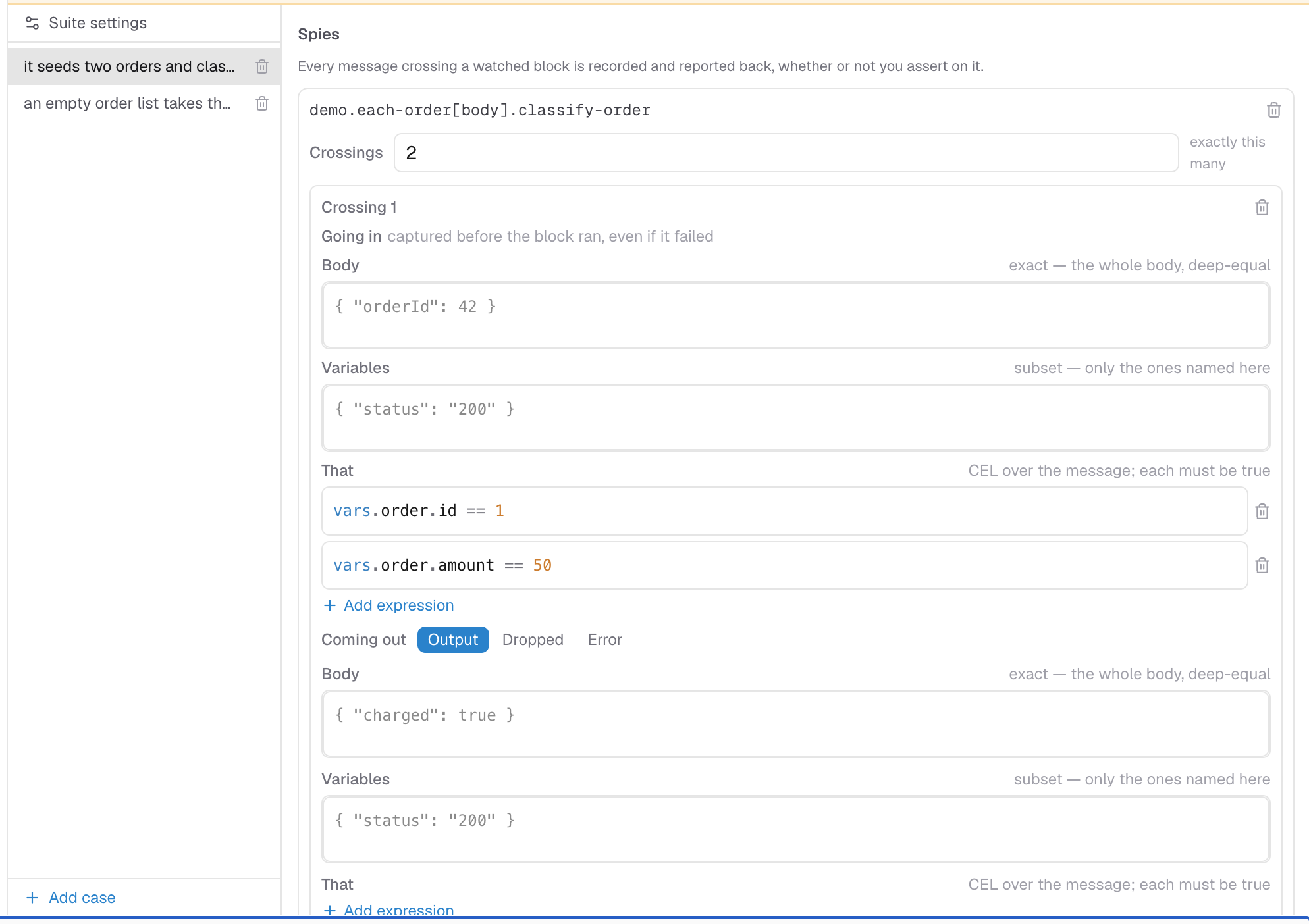
expect.body is an exact deep-equal of the whole body. expect.vars is a
subset: only the variables you name are checked.
That holds CEL expressions over the message, each of which must be true, for a
body carrying a timestamp or a generated id that an exact body could never match. Add
a row per expression; the placeholder shows the shape (body.total > 0). It is
the same CEL every block uses, except that env is not bound,
because dolphin never loads your config. A non-boolean result is reported as a mistake
rather than counted as false. To try an expression against a real message first, run
the flow and use the expression tester on the canvas.
Spies assert what a watched block saw: how many messages crossed it, and what each
crossing carried. count: 0 is a real assertion ("this block never ran").
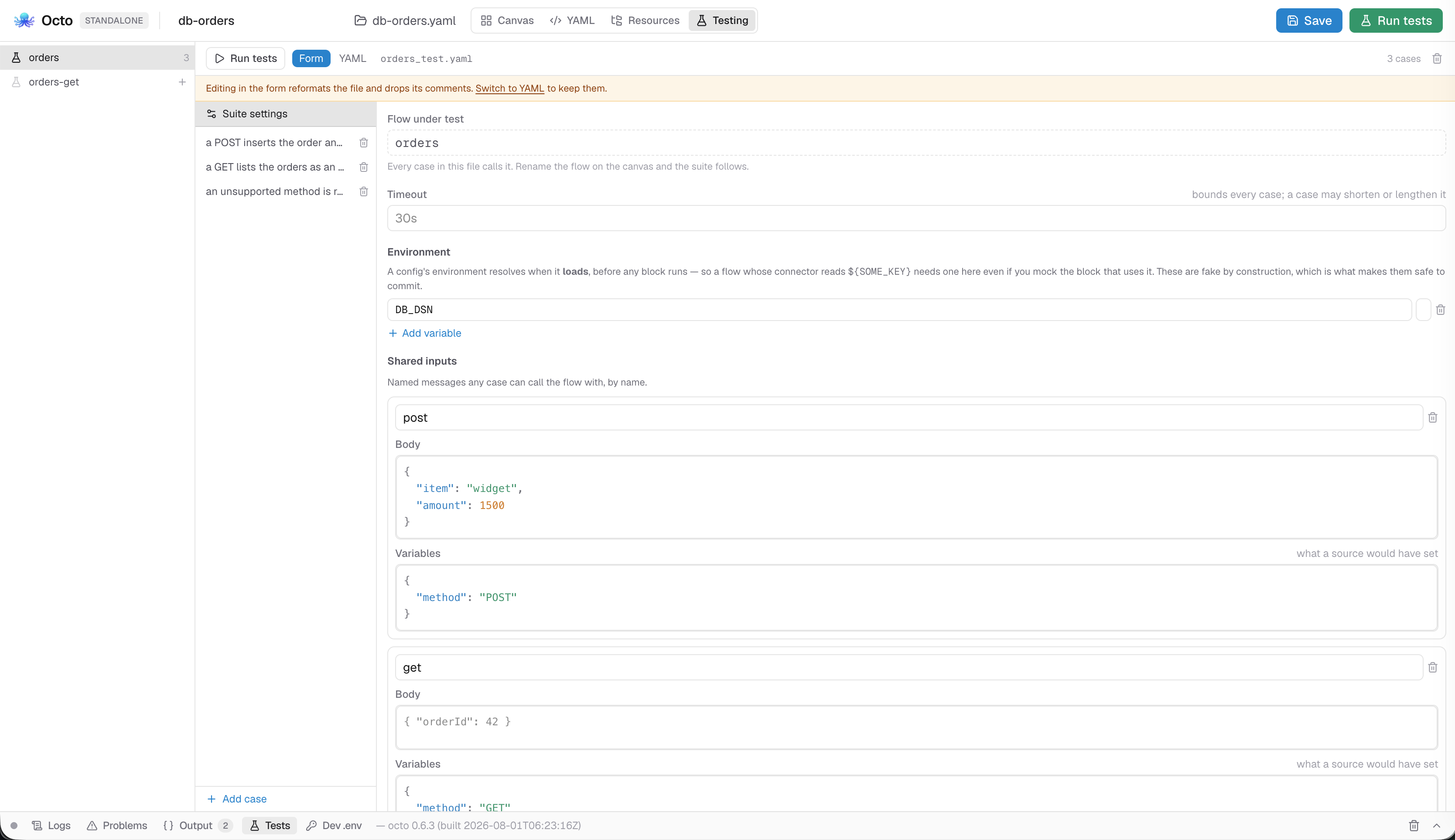
Suite settings holds the file-level inputs:, mocks:, env: and timeout:.
A config's environment is resolved when it loads, so a flow whose connector reads
${SOME_KEY} cannot be built without one, and mocking the block that uses it does not
help. The values are fake by construction, so they are safe to commit.
Form or YAML
Each suite has a Form / YAML toggle. The YAML view saves the file byte for byte; the form re-renders it from the model.
Editing in the form drops the file's comments. The tab warns when the open suite has comments and offers to switch you to YAML.
When dolphin would refuse the file
Anything that would stop dolphin loading the suite is reported above the editor, per case, and Run tests goes dead until it is fixed. The rail carries the same count.
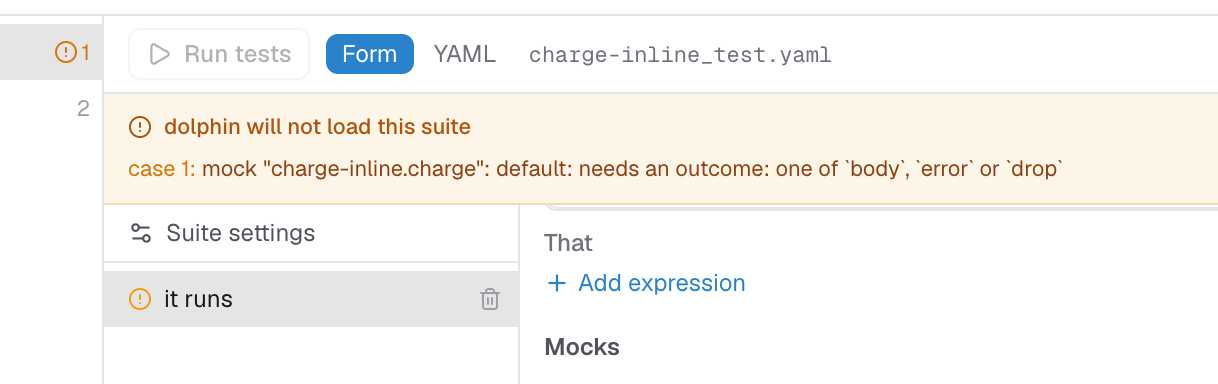
A file holding something the editor cannot represent, most often an unknown key from a
typo, also disables the form: re-serializing it would delete what the editor could
not read, so the YAML view is forced. dolphin refuses the whole file over that key
anyway; a misspelled spys: would otherwise watch nothing and go green.
Running
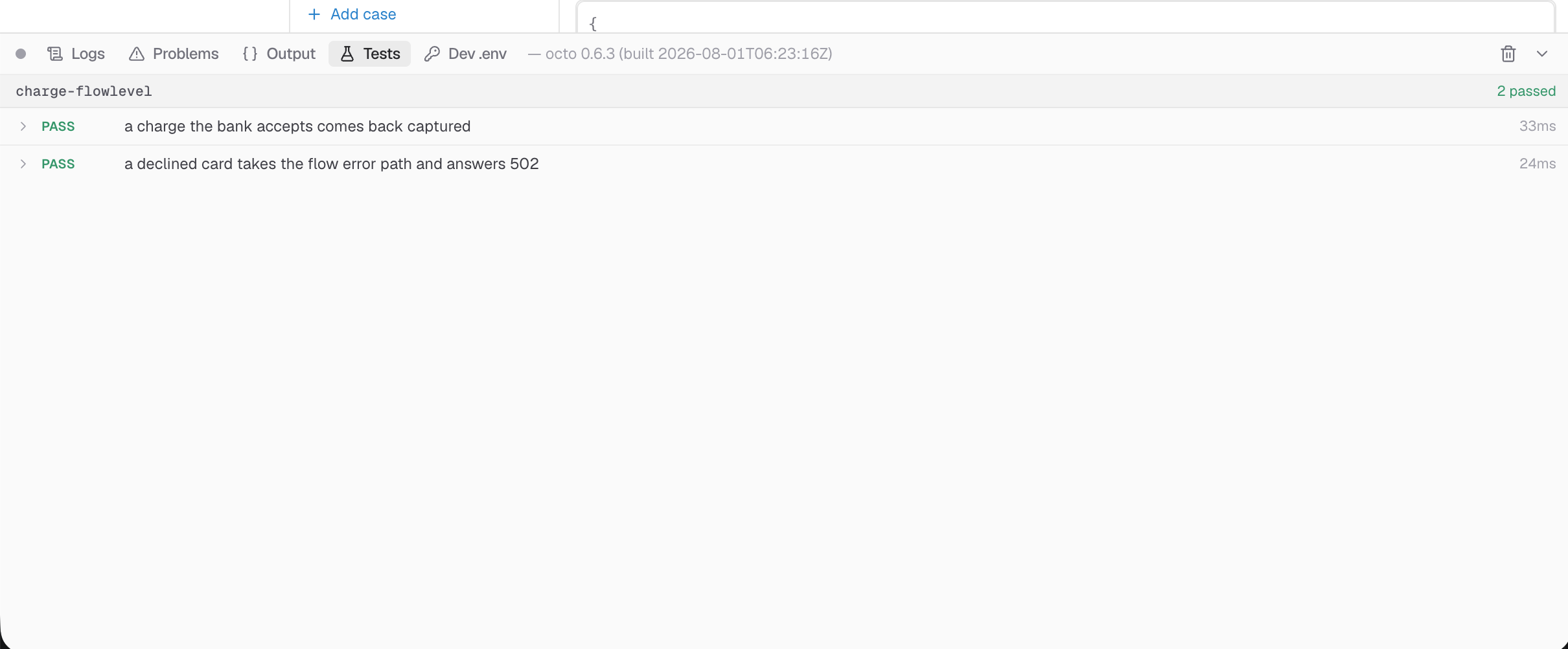
Run tests runs the open flow's suite and reports on the console's Tests tab, beside the logs and the output. The tab carries a badge counting the cases that failed or errored.
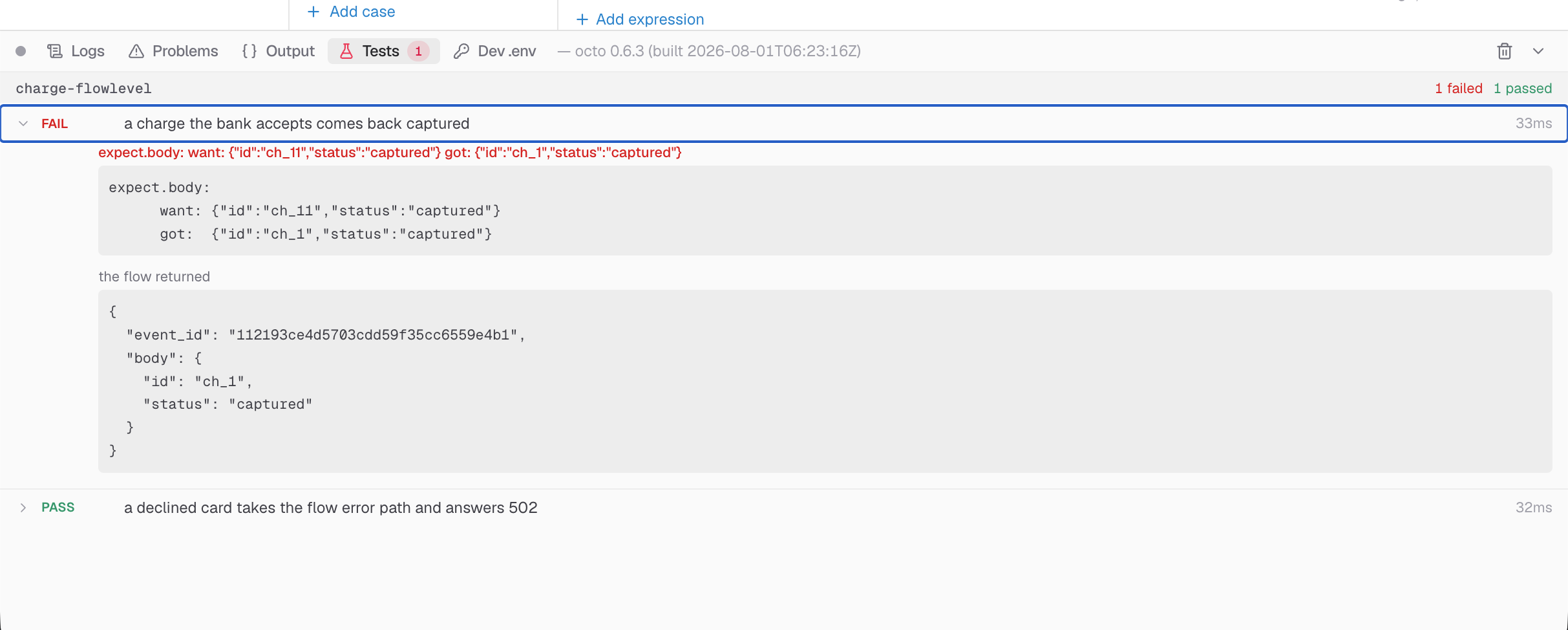
A failing case opens by itself and shows what dolphin printed beside the message the flow actually produced. The tally keeps two verdicts apart: failed means the flow ran and did not do what the case says; errored means the case never ran (an address that resolves to nothing, an input the file does not declare), so the test is wrong.
The config under test is rendered from the document in front of you, not from what was last saved.
The dev .env is deliberately not injected into a test run, unlike a debug run: it
would make the tab and dolphin test disagree, and would let a "test" authenticate
with your real credentials. A suite says what it needs in its own env:.
Running every suite
The toolbar's Run tests runs the suite you have open. The one in the header runs them all; that is what the RUN control becomes on the Testing tab. Hovering it names the suites it is about to run, and any it will leave out.
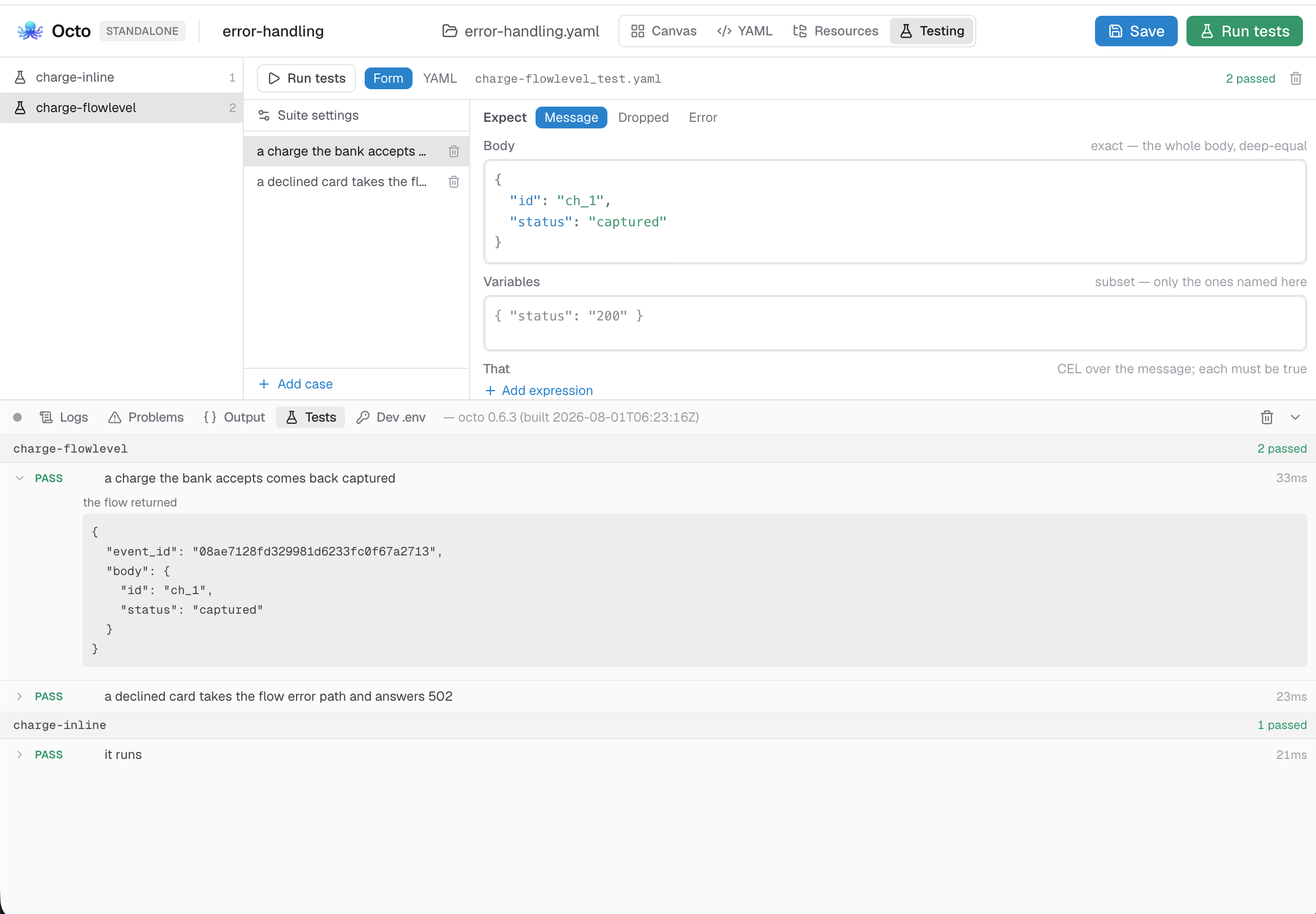
The results are grouped one block per suite, each with its own tally:
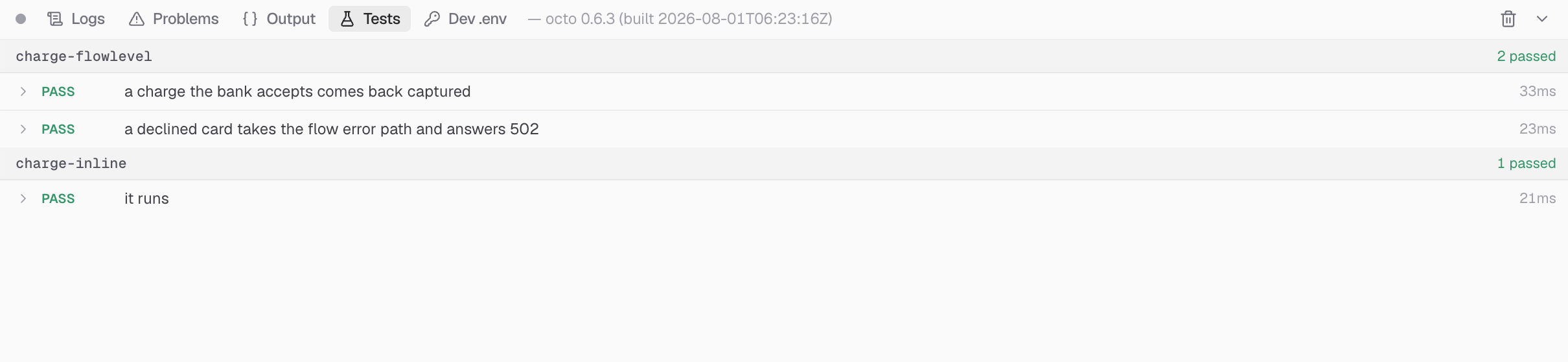
What gets held back, and why
dolphin validates every file it was named before it runs any case, so one file it refuses aborts the whole run and reports nothing. Three reasons a suite is held back:
| Reason | What it means |
|---|---|
there is no flow by that name in this document | A suite left behind by a rename or a deletion. The Testing tab lists flows, so the file is invisible there, but it is still on disk and dolphin test and CI still run it. |
has no cases yet | A scaffold nobody has filled in. |
dolphin would refuse it: … | The file has a problem the suite issues panel is already reporting. |
What is left out is reported, not dropped: named in the tooltip before the run and again above the results after it.
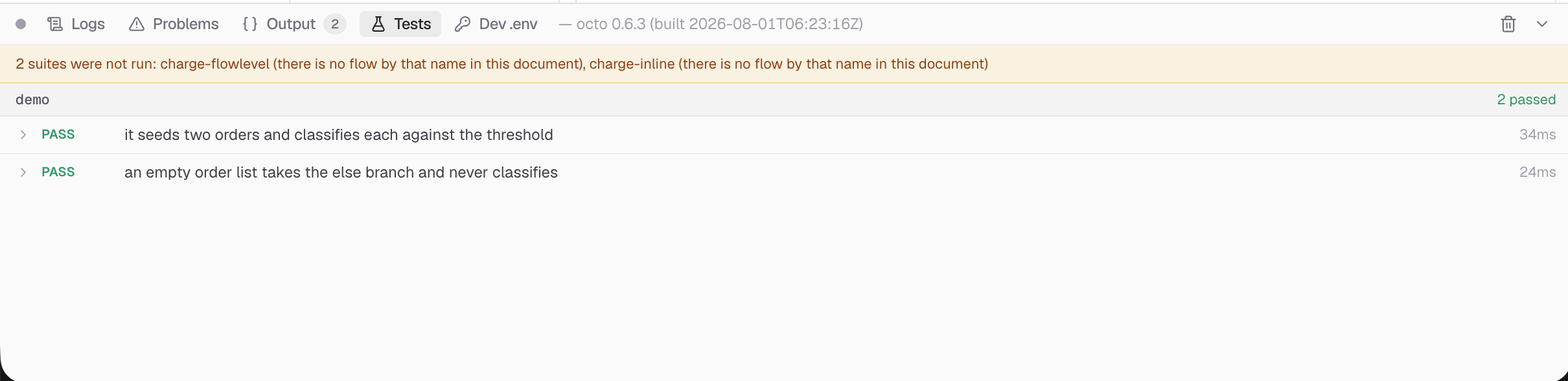
Held back here is not excluded from CI. dolphin test takes the files you point it at,
so an orphaned suite that this button skips still runs, and still fails, in a terminal.
See running tests.
The two bridges
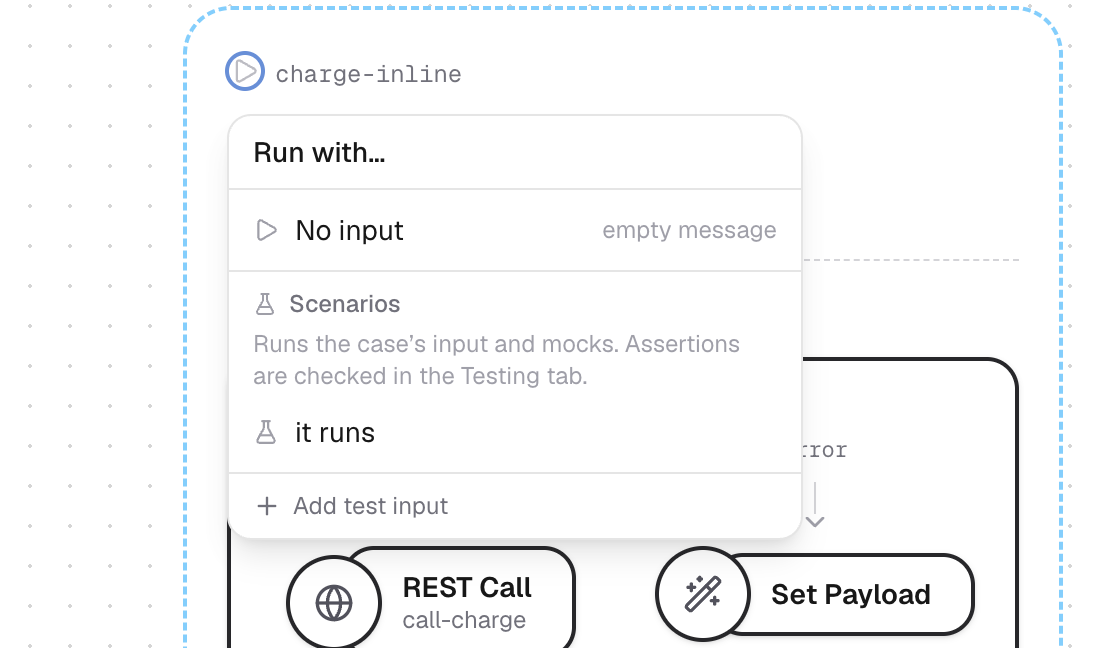
Scenarios. A flow's ▶ menu lists its test cases under Scenarios. Pick one and the flow runs on the canvas with that case's input and mocks. The run does not check the case's assertions; that is what Run tests is for, and the menu says so.
Save as test case. Every result on the console's Output tab carries Save as test
case, which turns that run into a case in the flow's suite: the input it used, the
mocks that were active, and what came back. It previews the exact YAML before writing,
and warns that a body carrying a generated id will fail on its next run, pointing you
at that: instead.
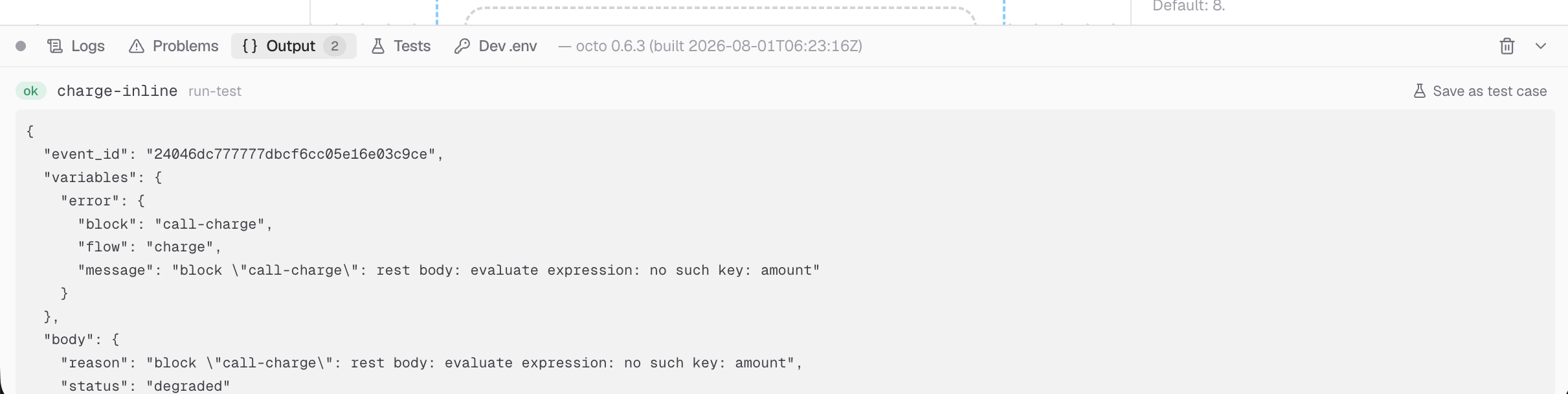
A run stopped at a breakpoint cannot be promoted: it reports the message at that block, not the flow's result. The button says so rather than disappearing.
Where the file lands
One suite per flow, named <flow>_test.yaml. In the standalone editor it sits in your
flows directory, next to the flows; on the platform it is stored with the integration
and never pulled by a deployed runtime.
dolphin's own convention names a suite after the config file it accompanies, and a
suite declares exactly one flow, so a config holding three flows cannot have three
companions. We name suites after the flow instead. A config orders.yaml whose flow is
called checkout produces checkout_test.yaml, and dolphin will not pair them up.
With no companion config, dolphin falls back to the containing directory, which merges every config in it, and the suite fails on the first environment variable an unrelated flow declares. Name the config:
dolphin test .octo-flows/checkout_test.yaml --config .octo-flows/orders.yamlThe Testing tab has no such ambiguity: it stages the one config the suite is for.
See also
- Your first test: the same file, written from scratch in a terminal, in about ten minutes.
- Writing test cases: the suite format in full.
- Test file reference: every key, field by field.
- Running tests:
dolphin test, exit codes, and CI. - Debugging flows: the mocks, spies and breakpoints a test is built out of.
- Testing with an agent: the same suites, written and run over MCP.