
AI Agents
The ai-agent block: prompt, tools, guardrails, and iteration limits.
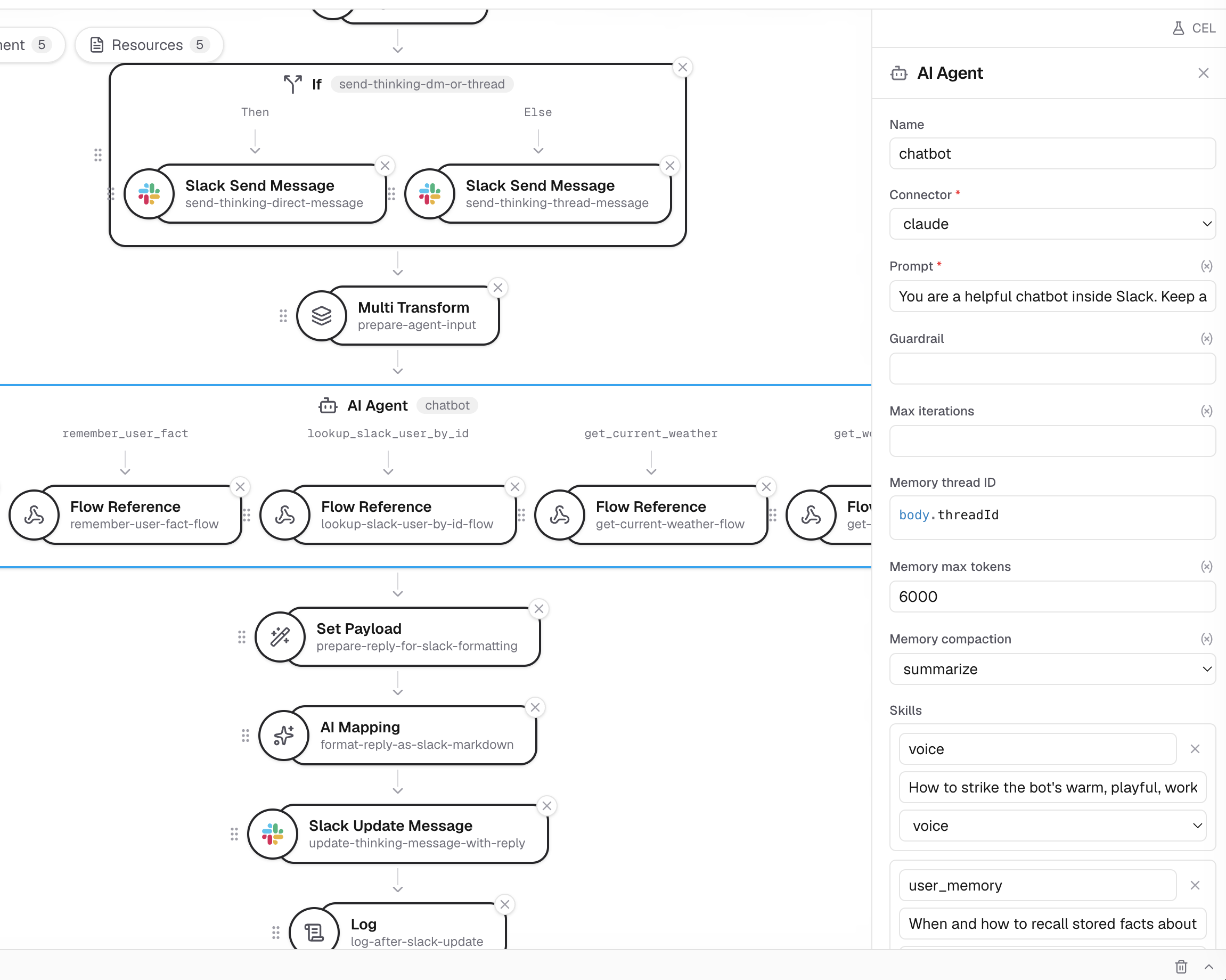
The ai-agent block lets an LLM accomplish a task by calling flow branches as
tools, in a loop. You describe the task in a prompt and give the model tools
built from ordinary process chains; the block folds the model's final answer
back into the message.
A complete example
This flow enriches an inbound lead. The agent calls the classify_size tool
as needed, then answers with a JSON object that becomes the message body.
service:
  name: ai-agent

env:
  - name: ANTHROPIC_API_KEY
    required: true

connectors:
  - name: claude
    type: llm-anthropic
    settings:
      apiKey: ${ANTHROPIC_API_KEY}

flows:
  - name: enrich
    process:
      - type: ai-agent
        name: enrich-lead
        connector: claude
        maxIterations: 6
        prompt: >
          Enrich the inbound lead. Classify the company size and decide whether
          it is a good fit. Call the tools as needed, then respond with a JSON
          object {"tier": "...", "fit": true|false}.
        guardrail: >
          If you cannot classify the lead with confidence, take the default path.
        tools:
          - name: classify_size
            description: Classify a company's size tier from its name and domain.
            inputSchema: |
              {
                "type": "object",
                "required": ["company"],
                "properties": {
                  "company": { "type": "string" },
                  "domain":  { "type": "string" }
                }
              }
            process:
              # A real tool would call an API; here we just echo a tier so the
              # sample runs without external dependencies.
              - type: set-payload
                settings:
                  value: '{"tier": "smb"}'
        default:
          process:
            - type: set-payload
              settings:
                value: '{"status": "needs-manual-review"}'
Run it with the CLI:
export ANTHROPIC_API_KEY=sk-ant-...
octo invoke --config samples/ai-agent.yaml --flow enrich \
  --data '{"company":"Acme","domain":"acme.example"}'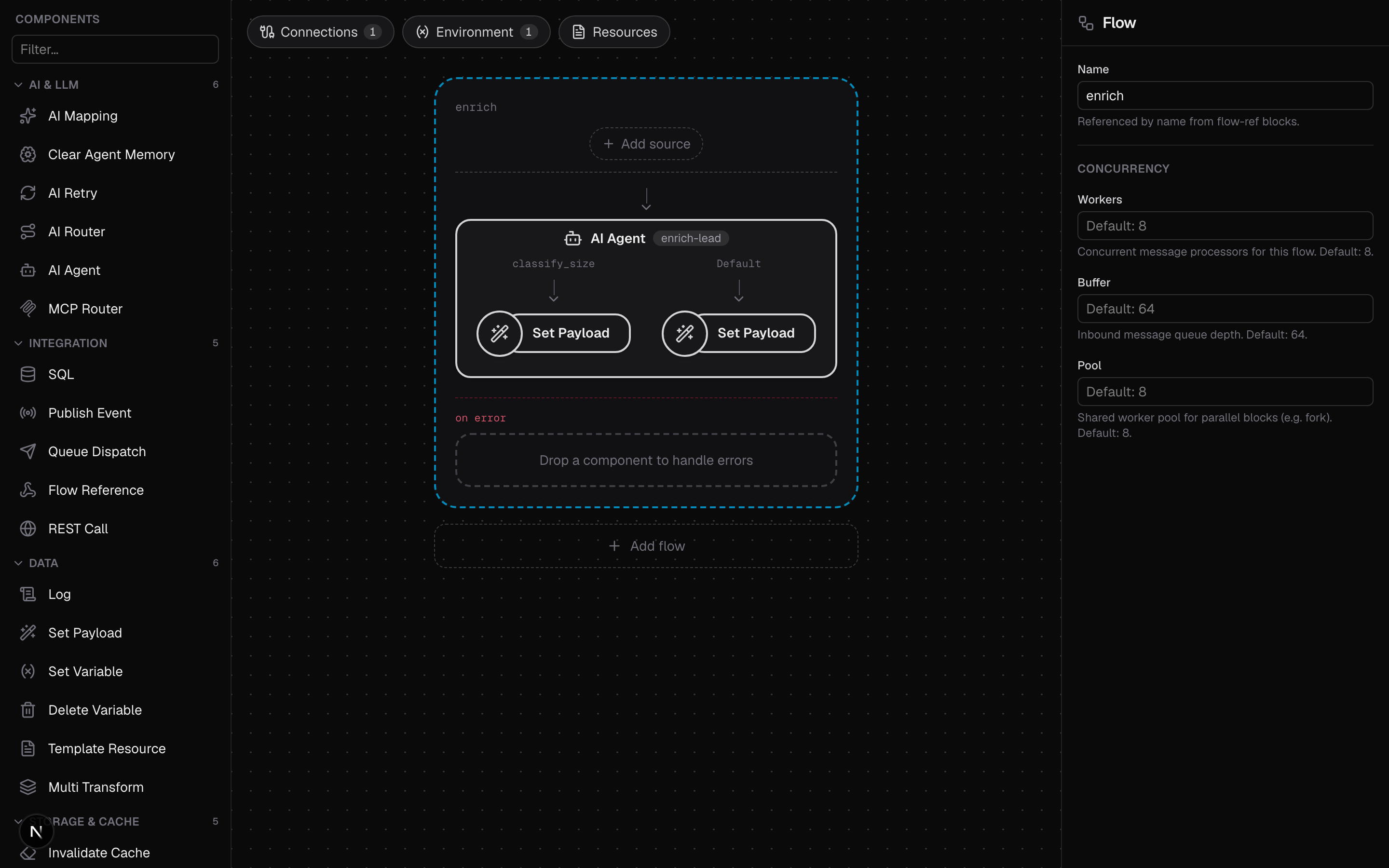
ai-agent is a composite block: connector, prompt, tools and the
other keys sit at the top level of the block, not under settings:.
How the loop works
- The block encodes the incoming message body as JSON and hands it to the model as the task input.
- The model calls tools as needed. Each call's arguments become the tool branch's message body; the branch's output body is returned to the model as the tool result.
- Tool branches share the message, so variables a branch sets are visible to later tools and to the rest of the flow.
- When the model stops calling tools, its final text is folded into the message body: parsed as JSON when possible, stored as text otherwise. An empty final answer leaves the body as the last tool left it.
Each iteration is one model call. maxIterations caps the loop (default
8); an agent that never finishes within the cap takes the default path. A
tool branch that errors returns the error text to the model as a failed tool
result, so the model can retry with different arguments, try another tool, or
take the guardrail.
Fields
| Field | Required | Description |
|---|---|---|
connector | Yes | Name of any configured LLM connector (llm-anthropic, llm-openai, llm-gemini, llm-openrouter). |
prompt | Yes | The task instruction. It is embedded in the agent's system prompt. |
tools | Yes | At least one tool. Each needs a name, a description, an optional inputSchema (JSON Schema; defaults to an open object), and a process chain. |
maxIterations | No | Cap on tool-calling turns; defaults to 8. |
guardrail | No | Text describing when the model should give up and take the default path. |
default | No | The fallback flow, run on refusal or when maxIterations is exhausted. |
answer | No | Shape the model is told to answer in: json (default) or text. The reply is parsed the same way either way. |
skills | No | Lazy-loaded instruction documents; see Skills and Tools. |
memoryThreadId and friends | No | Per-thread conversation memory; see Agent Memory. |
stopWhen | No | Ends the run already working on this message's conversation instead of starting one; see Steering a Running Agent. |
Guardrail and the default path
The guardrail text is appended to the system prompt as guidance on when to
stop trying. The default flow runs when the model refuses the task or the
loop exceeds maxIterations without a final answer, and receives the
current message, including variables tool branches set.
Without a default, a refusal or an exhausted loop is an error: the block
fails and the message flows to the surrounding recovery path (an enclosing
handle-errors, ai-retry, or the flow's error chain). Give production
agents a default.
Input and output
The agent's input is the message body when the block runs; the model sees exactly that JSON, so shape it with a transform first. Its output is the message body after the block; ask for a specific JSON shape (as the example does) and downstream blocks can rely on it. A markdown code fence around the answer is stripped before parsing.
Sending files
An agent can be handed a screenshot, a scanned invoice or a voice note instead of
a description of one. Two settings do it — input states the question, and
attachments says which part of the body holds the files:
- type: ai-agent
  name: describe-file
  connector: claude
  answer: text
  input: body.question
  attachments: 'has(body.files) ? body.files : []'
  prompt: Answer the user's question about the attached files.
  tools: [...]
Each file is a {mimeType, data, name} map whose data is base64, or a
data:image/png;base64,... URL — which is what a browser gives you when somebody
pastes a screenshot.
input is required here rather than optional. The default opening turn is the
whole body as a JSON document, so a flow that left it unset would send every file
twice: once as a file the model can read, and once as a base64 string in the
middle of the prompt. The block refuses to build instead, because that version
works and quietly bills for every byte twice.
The files ride one turn. The model reads them on the first model call and
they are dropped from the transcript as soon as it returns, so tool calls and
follow-ups are text and a stored conversation never holds the bytes. See
attachments for keepAttachments,
responseMedia, and which files each provider accepts.
The full sample is samples/ai-agent-attachments.yaml:
export ANTHROPIC_API_KEY=sk-ant-...
octo invoke --config samples/ai-agent-attachments.yaml --flow describe \
  --data '{"question":"What is in this image?","files":[{"mimeType":"image/png","name":"red.png","data":"iVBORw0KGgoAAAANSUhEUgAAAAEAAAABCAIAAACQd1PeAAAADElEQVR4nGP4z8AAAAMBAQDJ/pLvAAAAAElFTkSuQmCC"}]}'
Next steps
- Memory across invocations.
- Sending files to an agent, and what each provider accepts.
- Steer or stop a run in flight.
- Skills and reusable flow-backed tools for larger agents.
- A production agent end to end: the Slack agent capstone.
- Full field tables: AI Blocks reference.