
Expose an MCP Server
Turn a flow into an MCP server with tools, resources, and prompts.
The mcp-router block turns a flow into a stateless Model Context
Protocol server. Put it behind an http
source and every POST to the route is one MCP JSON-RPC request; the block's
output body is the JSON-RPC response. Each tool you declare is an ordinary flow
branch, so an MCP tool call runs a flow and returns its result.
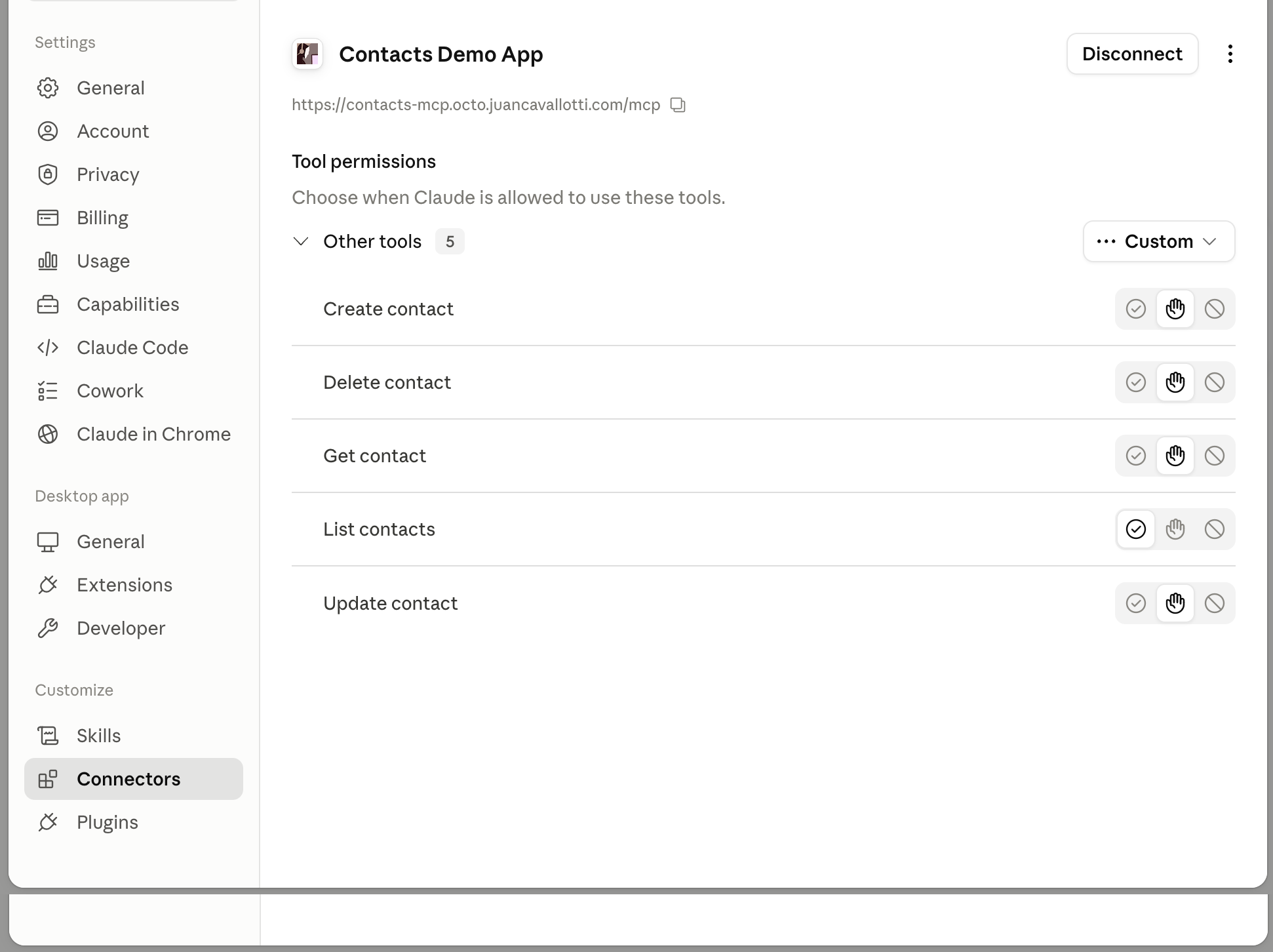
The router is a protocol adapter and calls no LLM. The intelligence lives in the MCP client (Claude Code, Claude Desktop, or any other MCP client) that connects to it.
A complete server
This is samples/mcp-router from the repo: one tool, a fixed resource, a
resource template, and one prompt.
service:
  name: mcp-router

env:
  - name: HTTP_PORT
    default: "8080"

# Template resources advertised as MCP resources and prompts, referenced by alias.
resources:
  templates:
    - resource: guide.md
      as: guide
    - resource: greet.md
      as: greet
    - resource: city.md
      as: city

connectors:
  - name: api
    type: http
    settings:
      port: ${HTTP_PORT}

flows:
  - name: mcp
    source:
      connector: api
      type: http
      settings:
        path: /mcp
    process:
      - type: mcp-router
        name: weather-mcp
        serverName: weather-tools
        tools:
          - name: forecast
            description: Return a short weather forecast for a city.
            # Display name for people; `name` stays the identifier clients call by.
            title: Weather forecast
            # Hints, so a client knows how much ceremony to put in front of a call.
            # They are advisory: the runtime does not enforce them.
            annotations:
              readOnlyHint: true
              openWorldHint: true
            inputSchema: |
              {
                "type": "object",
                "required": ["city"],
                "properties": { "city": { "type": "string" } }
              }
            # Declaring the shape of the answer makes the router return it as
            # structuredContent as well as text, so a client can use it as data.
            outputSchema: |
              {
                "type": "object",
                "required": ["city", "summary"],
                "properties": {
                  "city": { "type": "string" },
                  "summary": { "type": "string" }
                }
              }
            process:
              # A real tool would call a weather API; here we echo a fixed
              # forecast so the server runs without external dependencies.
              - type: set-payload
                settings:
                  value: '{"city": body.city, "summary": "Sunny, 24C"}'
        resources:
          - uri: octo://guide
            name: guide
            description: Operator guide for the weather tools.
            mimeType: text/markdown
            resource: guide
          # A family of documents rather than one. Clients discover it on
          # resources/templates/list, fill in {city}, then read the concrete uri;
          # what the placeholder took reaches the template as body.city.
          - uriTemplate: octo://city/{city}
            name: city-briefing
            description: A briefing for any city.
            mimeType: text/markdown
            resource: city
        prompts:
          - name: assist
            description: Prime an assistant to help a user in a given city.
            arguments:
              - name: city
                description: The user's city.
                required: true
            resource: greet
The template files are plain text with {{ }} expressions:
You are helping a user in {{ body.city }}. Offer to fetch the forecast with the
`forecast` tool, and keep answers short and friendly.# Weather tools: operator guide
This MCP server exposes a small set of weather tools.
- `forecast` returns a short forecast for a city.
- Values are illustrative; wire the tool flow to a real API to make it live.
- Be kind to rate limits and cache when you can.Run it:
bin/octo run --config samples/mcp-routerThe block, field by field
The mcp-router is a composite block: tools, resources, prompts, and
serverName sit at the block top level, not under settings. At least one
tool, resource, or prompt is required.
serverName
The name reported in the initialize handshake's serverInfo. Falls back to
the block's name, then to octo-mcp.
tools[]
Each entry is one MCP tool, declared exactly like an
ai-agent tool. name is the tool name clients
call, unique within the block. description is handed to the model, so say
what the tool returns and when to use it. inputSchema is a JSON Schema string
for the arguments. process is the flow branch that runs on tools/call: the
call's arguments object becomes the branch's message body (a schema
property city is body.city), and the branch's final body is returned as the
tool's text result. A branch failure, or an unknown tool name, comes back as an
isError tool result the model can see and recover from, not a protocol error.
Tool metadata
A tool may also declare three pieces of MCP metadata. All three are
mcp-router only; an ai-agent rejects them when the flow is built,
because an LLM tool call has no protocol carrying them.
tools:
  - name: forecast
    title: Weather forecast
    description: Return a short weather forecast for a city.
    annotations:
      readOnlyHint: true
      openWorldHint: true
    outputSchema: |
{ "type": "object", "properties": { "summary": { "type": "string" } } }| Field | Meaning |
|---|---|
title | A display name for people, where name stays the identifier clients call by. Shown in consent prompts and tool pickers. |
annotations | readOnlyHint, destructiveHint, idempotentHint and openWorldHint, so a client can decide how much ceremony to put in front of a call. A hint you leave out is not advertised at all, since the protocol's defaults differ per hint. They are advisory: the runtime does not check a tool branch against them, and the protocol tells clients to treat them as untrusted. |
outputSchema | The shape of what the branch returns. Declaring it makes tools/call send the result as structuredContent as well as text. The text block stays either way, because the spec requires the serialized JSON there for clients that do not read structuredContent. A branch whose result is not a JSON object gets no structuredContent; the call still succeeds. |
resources[]
Documents the server advertises and serves on resources/read. Each entry
declares either a uri or a uriTemplate, never both.
| Field | Meaning |
|---|---|
uri | The stable identifier clients read by, e.g. octo://guide. One fixed document, listed on resources/list. Unique within the block. |
uriTemplate | A family of documents rather than one, listed on resources/templates/list instead. See below. |
name | A human-readable name. Required. |
description | Optional. |
mimeType | Defaults to text/plain. |
resource | The alias of a template resource declared under resources.templates. The template is rendered on each read. |
Resource templates
A uriTemplate is an RFC 6570
level-1 template: literal text with {name} placeholders. One declaration
stands in for every city, contact or ticket a client might ask about.
resources:
  - uriTemplate: octo://city/{city}
    name: city-briefing
    description: A briefing for any city.
    mimeType: text/markdown
    resource: city
A client discovers it on resources/templates/list, fills in the placeholders,
and reads the concrete uri. The router matches that uri against the template
and hands what each placeholder took to the rendered template as the body,
so {city} is {{ body.city }}. The template also sees the request's
variables, so a router behind a jwt-validate can render per-caller content.
curl -s localhost:8080/mcp -d '{"jsonrpc":"2.0","id":1,"method":"resources/templates/list"}'
curl -s localhost:8080/mcp -d '{"jsonrpc":"2.0","id":2,"method":"resources/read","params":{"uri":"octo://city/Paris"}}'
Matching rules:
- Only simple expansion is supported: no operators (
+ # . / ; ? &), no explode, no prefix lengths. - A placeholder matches up to the next literal rather than greedily, so
octo://city/{city}/weathertakes one segment instead of swallowing the rest. - A placeholder never matches empty:
octo://city/is not a city. - Values are percent-decoded, so
octo://city/S%C3%A3o%20Paulorenders asSão Paulo. - A fixed
urialways wins over a template that would also match it, which is how you carve one special case out of a family. Templates are otherwise tried in declaration order. - A placeholder name must be a valid identifier, because its value is read as
body.<name>.{contact-id}is rejected when the flow is built.
prompts[]
Parameterized prompt templates served on prompts/get. name and
description are advertised on prompts/list; arguments[] each carry
name, description, and required; resource is the template resource
alias to render. The client's arguments are exposed to the template as the
body, so an argument city renders as {{ body.city }}. The request's
variables are available too, so a prompt can read what a jwt-validate in
front of the router left behind. The rendered text is returned as a single
user message.
The protocol surface
The router is stateless: no sessions, no SSE, one JSON-RPC request per HTTP POST, one response. It handles:
| Method | Behavior |
|---|---|
initialize | Reports serverInfo (the runtime's own release version) and negotiates the protocol version. Advertises only the capabilities the block declares: a router with tools but no prompts does not claim prompts. |
ping | Returns an empty result. |
tools/list | The declared tools with their JSON Schemas. |
tools/call | Routes to the matching tool branch. |
resources/list | The declared fixed-uri resources. |
resources/templates/list | The declared uriTemplate resources. |
resources/read | Renders the resource a uri names, matching it against the templates when no fixed uri matches. |
prompts/list, prompts/get | The declared prompts; get renders the template with the arguments as body. |
A request without an id is a JSON-RPC notification (clients send
notifications/initialized after the handshake): the router acknowledges it
with an empty 202 response instead of a JSON-RPC reply. Any other method
returns a standard -32601 method-not-found error.
Protocol version negotiation
The router speaks 2024-11-05, 2025-03-26 and 2025-06-18, since it covers
the subset of the protocol that has not changed across them. Ask for one of
those and you get it back. Ask for anything else and you get 2025-06-18, the
latest the router supports, rather than your own version echoed. Send no version
at all and you get 2024-11-05.
Capabilities are advertised honestly
initialize reports only what the block declares: a router with tools and no
prompts does not advertise prompts. Neither subscribe nor listChanged
is ever claimed, since a stateless router has no channel to notify a client
over, and the default for both is false.
Test it with curl
Every interaction is a plain POST, so you can drive the whole server from a terminal:
curl -s localhost:8080/mcp -d '{"jsonrpc":"2.0","id":1,"method":"initialize"}'
curl -s localhost:8080/mcp -d '{"jsonrpc":"2.0","id":2,"method":"tools/list"}'{"jsonrpc":"2.0","id":2,"result":{"tools":[{"name":"forecast","description":"Return a short weather forecast for a city.","inputSchema":{"type":"object","required":["city"],"properties":{"city":{"type":"string"}}}}]}}Call the tool, read the resource, render the prompt:
curl -s localhost:8080/mcp -d '{"jsonrpc":"2.0","id":3,"method":"tools/call",
  "params":{"name":"forecast","arguments":{"city":"Paris"}}}'
curl -s localhost:8080/mcp -d '{"jsonrpc":"2.0","id":4,"method":"resources/read",
  "params":{"uri":"octo://guide"}}'
curl -s localhost:8080/mcp -d '{"jsonrpc":"2.0","id":5,"method":"prompts/get",
  "params":{"name":"assist","arguments":{"city":"Paris"}}}'
Connect a client
The server speaks HTTP, so point any MCP client at the route URL.
claude mcp add --transport http weather-tools http://localhost:8080/mcpThen ask Claude Code to fetch a forecast; it discovers the forecast tool via
tools/list and calls it.
Octo is an MCP server, not an MCP client. Flows and ai-agent blocks do
not consume external MCP servers; an agent's tools are flow branches inside
the integration (see Agent Skills and Tools).
The mcp-router is how you hand those same flow-backed capabilities to
clients outside Octo.
Next steps
The server above is wide open: anyone who can reach the port can call the
tools. For anything beyond localhost, put a jwt-validate block in front of
the router and serve OAuth protected-resource metadata so MCP clients can
authenticate; see Secure an MCP Server with OAuth.