
AI Mapping
Map data to a target shape with prompts, examples, and schemas.
The ai-mapping block reshapes the message body into a target shape described
by a prompt, optional input/output examples, and an optional JSON Schema the
result is validated against.
A complete example
This flow normalizes a raw contact payload into a canonical shape:
service:
  name: ai-mapping

env:
  - name: ANTHROPIC_API_KEY
    required: true

connectors:
  - name: claude
    type: llm-anthropic
    settings:
      apiKey: ${ANTHROPIC_API_KEY}

flows:
  - name: normalize-contact
    process:
      - type: ai-mapping
        name: normalize
        settings:
          connector: claude
          prompt: >
            Map the raw contact payload to our canonical contact shape.
            Split the full name into firstName and lastName. Lowercase the email.
            Normalize the phone number to E.164.
          inputExample: |
            { "name": "Ada Lovelace", "tel": "(415) 555-0132", "email": "ADA@EX.COM" }
          outputExample: |
            { "firstName": "Ada", "lastName": "Lovelace", "email": "ada@ex.com", "phone": "+14155550132" }
          outputSchema: |
            {
              "type": "object",
              "required": ["firstName", "lastName", "email"],
              "properties": {
                "firstName": { "type": "string" },
                "lastName":  { "type": "string" },
                "email":     { "type": "string" },
                "phone":     { "type": "string" }
              }
            }
octo invoke --config samples/ai-mapping.yaml --flow normalize-contact \
--data '{"name":"Ada Lovelace","tel":"(415) 555-0132","email":"ADA@EX.COM"}'
# -> {"event_id":"…","body":{"firstName":"Ada","lastName":"Lovelace","email":"ada@ex.com","phone":"+14155550132"}}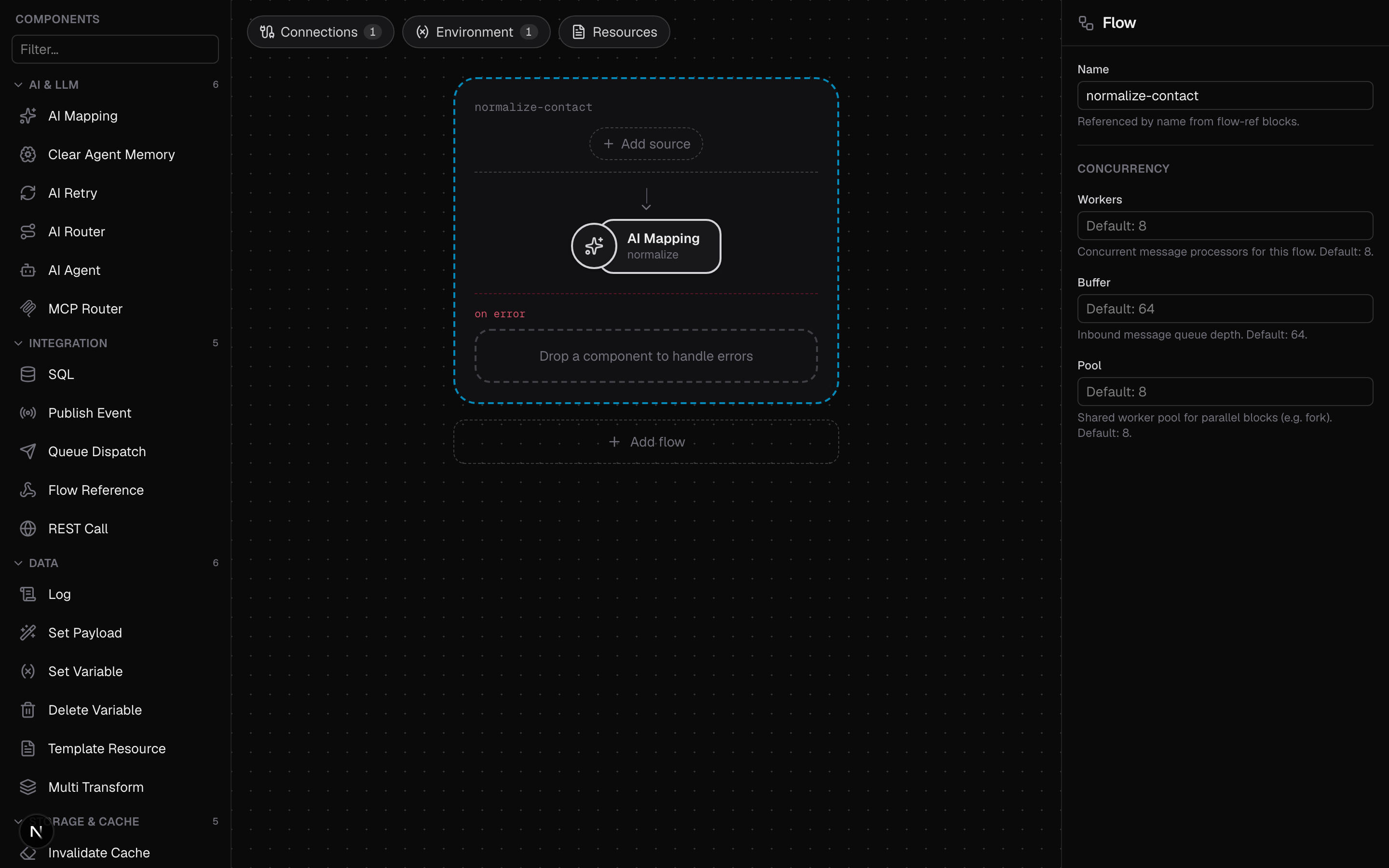
Unlike the AI composites, ai-mapping is a leaf block: its
configuration lives under settings:.
Settings
| Setting | Required | Description |
|---|---|---|
connector | Yes | Any configured LLM connector. |
prompt | Yes | The mapping instruction: what to extract, rename, split, or normalize. |
inputExample | No | An example input payload that guides recognition. |
outputExample | No | An example output payload that shapes the result. |
outputSchema | No | JSON Schema the result is validated against; a mismatch errors the block. |
maxTokens | No | Response token cap for this call; 0 uses the connector default. |
The example and schema fields are JSON documents, written either as an inline JSON string (a block scalar, as above) or as a native YAML map; both are normalized at build time. A malformed schema fails at startup, not on the first message.
Deterministic-ish structured output
The model is instructed to respond with only the output JSON, no prose and no
code fences (a stray fence is stripped). The response must then parse as JSON
and, when outputSchema is set, validate against it. Either failure is a block
error, so a bad generation goes to your recovery path instead of flowing
downstream, which is what makes ai-mapping compose with
ai-retry (it feeds the validation error back to a model for
another attempt) or handle-errors. On success the validated document becomes
the message body, and the schema travels with the message as its body schema.
Where it shines
Normalization: many partner formats in, one canonical shape out, as in the
contact example. Extraction: structured fields out of free text such as an
email body, a support ticket, or a scraped page. Formatting: rewriting content
for a destination under a strict shape; the
Slack agent capstone ends with an ai-mapping that converts
the agent's reply to Slack mrkdwn, validated against {"text": string}. Prefer
plain transform blocks when the mapping is
mechanical, since CEL is free and exact.
Every ai-mapping call costs an LLM round-trip. When the same inputs recur
(quote requests, repeated lookups), cache results in the object store keyed by
the input and skip the model on a hit. See
Object Storage and Caching.