
Running Flows
Run integrations from the editor with live logs and test URLs.
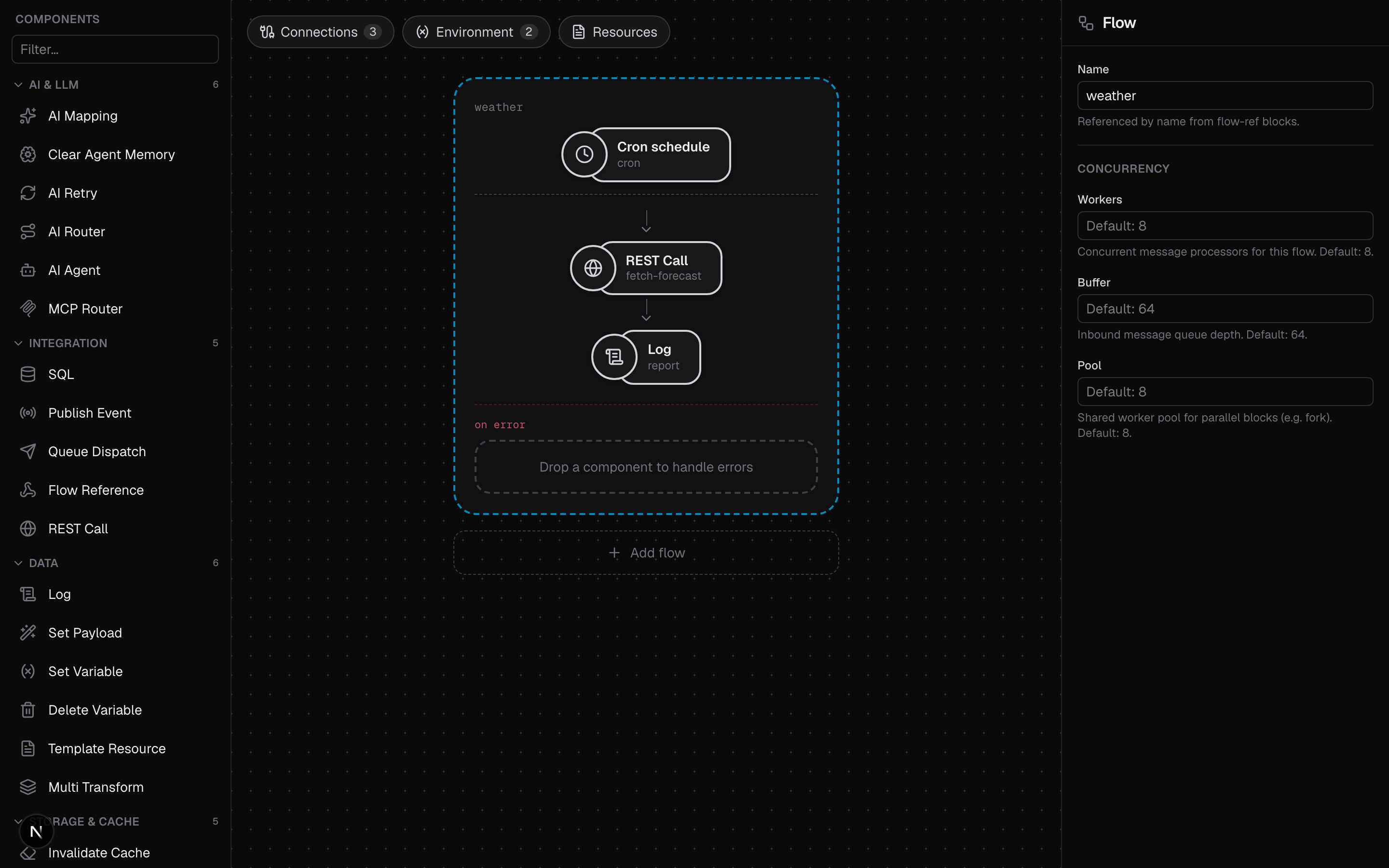
The editor runs your flow with the real runtime: press Run and the bundled
octo binary starts it with hot reload, streaming its logs into the console.
Save
Save (or ⌘S) writes the flow as a .yaml file into your mounted
directory: the same YAML shown in the editor's YAML view, nothing more. The
flow title becomes the filename on the first save (slugified, e.g.
"Order intake" becomes order-intake.yaml); changing the title later renames
the file on disk.
Because the files are plain runtime configs, everything the editor saves also
works outside the editor: octo run -config order-intake.yaml runs it
directly. See Running locally.
Run
Run renders the current document and starts the runtime as
octo run -config <file> -watch. The button is enabled only when the document
is valid; when it is blocked, hover it to see the list of issues to fix.
While the flow is running:
- The console expands and streams the runner's output live, line by line.
- Edits in the editor are pushed to the running config after a short pause (about two seconds), and the runner hot-reloads, so you see the change take effect without restarting. Invalid intermediate states are held back, so the live run never reloads a broken config.
Run executes the document as it is in the editor, so you don't have to Save first. Saving is still what persists the flow to disk.
On the platform this page's Run works differently, and deliberately. There the running flow is a pod of its own, so it runs the saved integration rather than your buffer: Save is what reaches it, and an unsaved edit does not. It also gets a stable public hostname instead of a URL under the editor's own port, and Run is unavailable until the integration has been saved once. Everything else on this page (the console, the test URL link, Stop, the Dev .env panel) behaves the same. See Dev runs for the whole picture.
The console
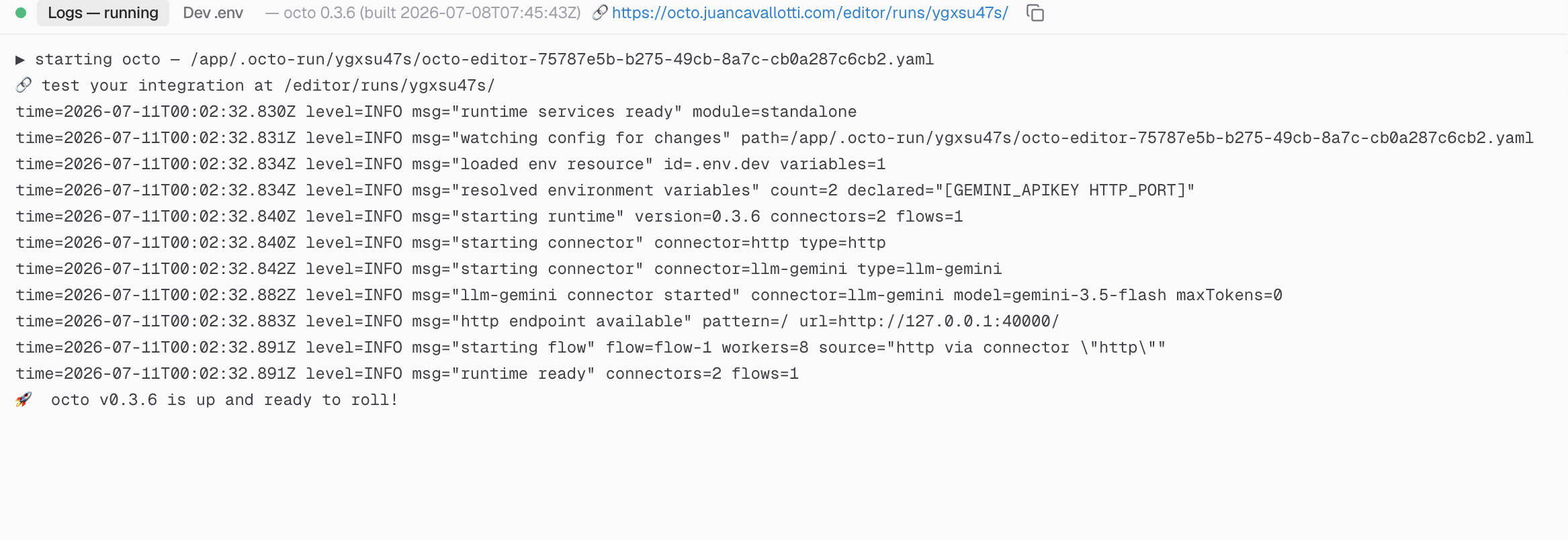
The console is the docked panel at the bottom. It shows the runner's version, opens automatically when a run starts, and can be collapsed to its header or resized by dragging its top edge. It has five tabs:
- Logs: the running integration's output, streamed live. Auto-scrolls while you are at the bottom of the stream; the trash button clears the display.
- Problems: validation issues and the reasons a run is blocked. Click one to select the block it belongs to.
- Output: the result of a single flow you invoked, or the message captured at a breakpoint.
- Tests: the verdict of the last test run, grouped one block per suite. Badged with the number of cases that failed or errored. See Testing in the editor.
- Dev .env: local values for the variables your flows declare (below).
Problems and Output belong to the other way of running a flow: invoking one on its own, with a test input, and stopping it wherever you like. See Debugging flows.
The Dev .env tab
Flows declare the environment variables they need in their env: block (with
optional defaults). The Dev .env tab is where you give those variables
local values for development (API keys, connection strings) without putting
them in the flow file.
- The tab lists every declared variable, plus any extra keys already present in the file; values are shown in the clear (use the eye toggle to mask them when screen-sharing).
- Values are stored in a single
.env.devfile next to your flows in the mounted directory, not in the browser. One.env.devis shared by all flows in the directory. - On Run,
.env.devis staged into the run and loaded by the runtime; a variable you leave blank falls back to its declared default.
Because .env.dev lives in your flows directory, runs started by the
MCP server pick up the same values. If the directory is a
git repository, add .env.dev to .gitignore.
A flow's other declared resources, the env files and templates under
resources:, are also read from the mounted directory (e.g. .env.dev,
templates/welcome.tmpl) and staged into the run automatically. Edit them in
the editor's Resources view. See Resources.
Test URLs for HTTP flows
When the running flow serves HTTP (its config declares HTTP_PORT), the
editor exposes it through a test URL like
http://localhost:3000/editor/runs/<id>/, shown as a link in the console
header with a copy button. Requests to that URL are proxied to the running
integration, so it works through the editor's own port and you don't need to
publish any extra container ports to try your endpoints.
Stopping and restarting
Stop replaces Run while a flow is running. It terminates the runner (gracefully first, forcibly after a few seconds) and cleans up the rendered config and staged resource files. Press Run again to start a fresh run of the current document. A run whose editor has been idle for an hour is also stopped and cleaned up automatically in the background.
Each browser tab gets its own runner (keyed by a cookie plus a per-tab id), so two tabs can run different flows side by side without disturbing each other.