
Scheduled Jobs
Run flows on a cron schedule.
Trigger flows on a schedule with the cron source, build the tick payload with
CEL, reuse processors by name, and write structured logs to a file. It follows
samples/heartbeat.yaml
and
samples/file-logger.yaml.
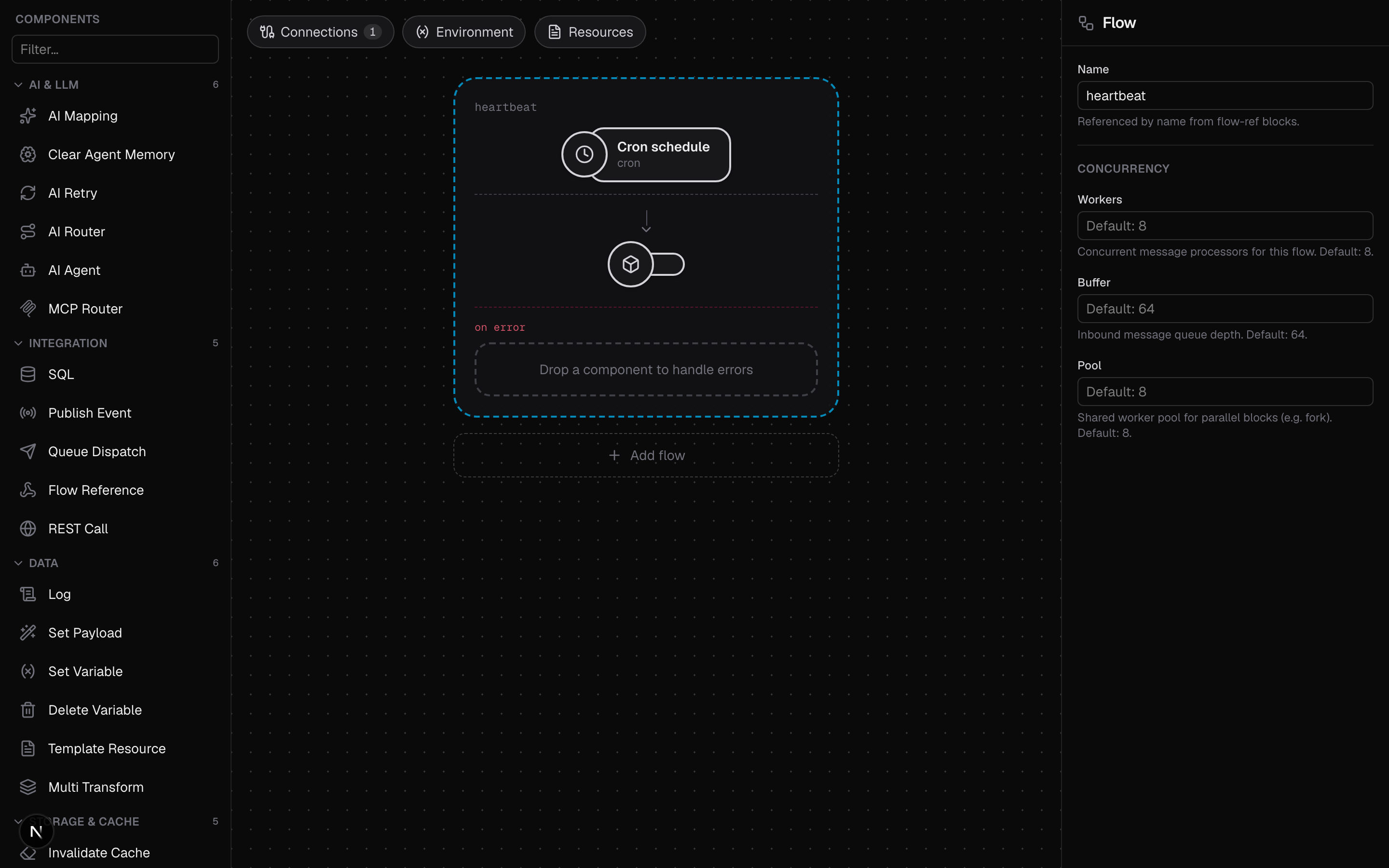
A heartbeat every two seconds
The cron connector needs no settings; each flow's source carries its own
schedule. The payload is a CEL expression evaluated at fire time, with the fire
time available as now, and its result becomes the message body. The sample also
shows named processors: define a block once under processors: and reference
it from any flow with ref:.
service:
  name: heartbeat

connectors:
  - name: ticker
    type: cron

# Named processor definitions. Flow blocks reference these by `ref`.
processors:
  - name: heartbeat-log
    type: log
    settings:
      level: info
      message: '"heartbeat fired at " + body.firedAt'

flows:
  - name: heartbeat
    source:
      connector: ticker
      type: cron
      settings:
        # Descriptor schedule: fire every two seconds.
        schedule: "@every 2s"
        payload: '{"firedAt": string(now), "kind": "tick"}'
    process:
      - ref: heartbeat-log
Run it and watch the ticks:
bin/octo run --config samples/heartbeat.yamlSchedule syntax
The schedule setting accepts two forms:
Descriptors such as @every 2s, @every 1h30m, @hourly and @daily.
Cron expressions with seconds: six fields (sec min hour dom mon dow) rather
than the usual five, so schedules have second granularity. 0 30 9 * * 1-5
fires at 09:30:00 on weekdays; */10 * * * * * fires every ten seconds.
A bad schedule or payload expression fails at startup, not at the first tick.
The source also accepts a static correlationID to stamp on every emitted
message.
When you run multiple replicas of the same service, cron sources elect a leader per connector, so each schedule fires once across the cluster rather than once per replica.
Log to a file
In
samples/file-logger.yaml
a named logger connector owns its output file (opened on start, closed on
shutdown), and any log block writes through it by name.
service:
  name: file-logger-demo

connectors:
  - name: ticker
    type: cron
  - name: audit
    type: logger
    settings:
      output: /tmp/octo-audit.log
      format: json
      level: info
      addSource: false

flows:
  - name: audit-ticks
    source:
      connector: ticker
      type: cron
      settings:
        schedule: "@every 2s"
        payload: '{"date": string(now)}'
    process:
      # This log block writes through the named "audit" logger connector.
      - type: log
        settings:
          logger: audit
          message: '"tick at " + body.date'
All logger settings are optional. The defaults are output: stdout,
format: text, level: info. Set format: json for structured lines and
addSource: true to include the source location in each record.
Run it and tail the file:
bin/octo run --config samples/file-logger.yaml
tail -f /tmp/octo-audit.log{"time":"2026-07-09T10:15:04Z","level":"INFO","msg":"tick at 2026-07-09 10:15:04.001 +0000 UTC"}Where to go next
- Call External APIs: a scheduled flow that polls a real API.
- Object Storage and Caching: keep state between ticks.
- Cron connector reference: every source setting.
- Logger connector reference: logger and
logblock settings.