
An AI Web App End to End
Cache LLM output and render it as HTML with an error fallback page.
This guide assembles a complete AI web app: an HTTP endpoint that calls an LLM, caches the result, renders the answer as an HTML page, and falls back to an error page when the model misbehaves. Both configs are real integrations running on the author's Octo platform: the walkthrough is "jokes api", and the going-further section is its richer sibling, "Weather jokes".
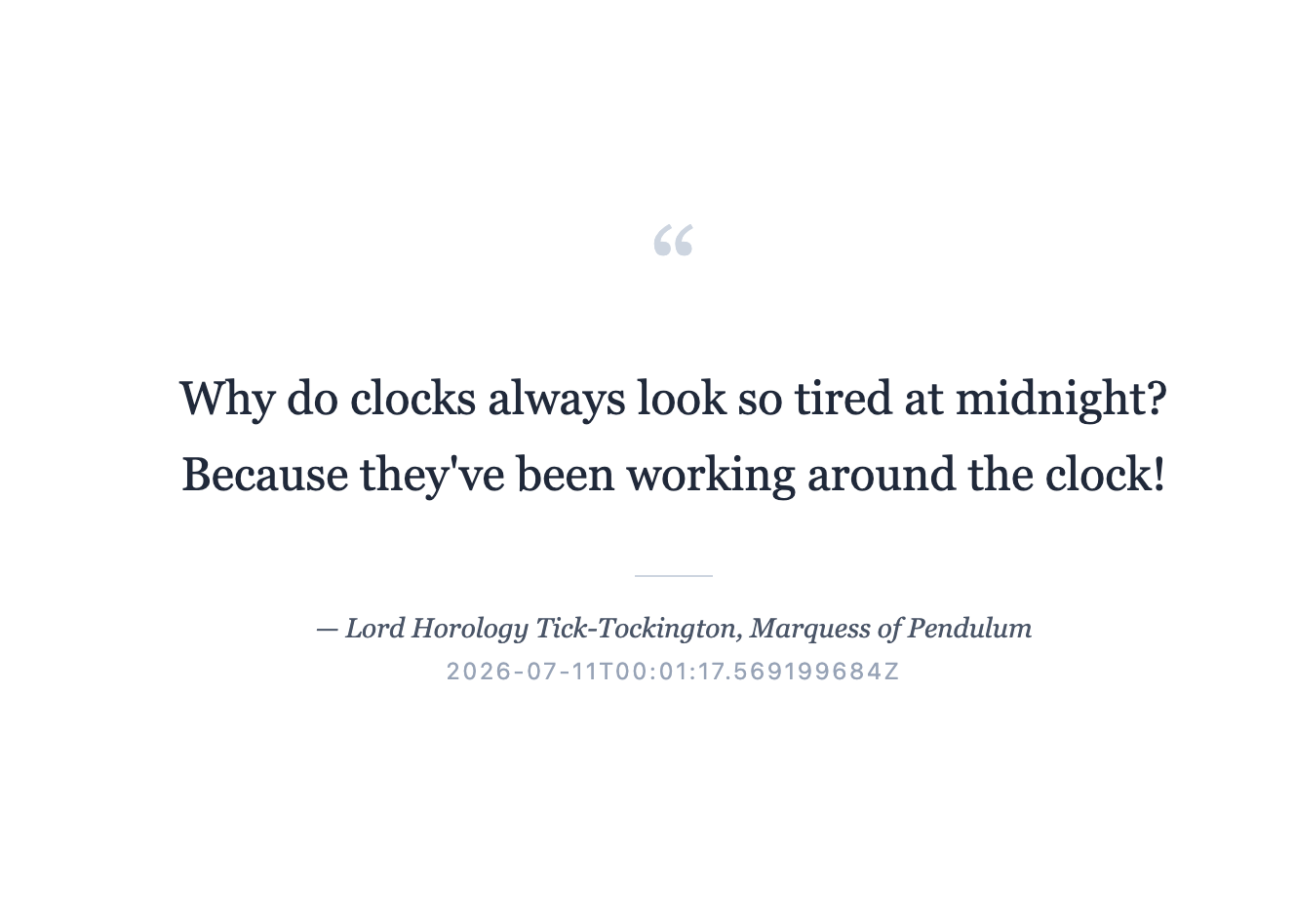
The shape of the app
One flow, four stages: an HTTP source (a GET on /) triggers the flow; a
cache-scope wraps the expensive part so only the first request per TTL pays
for a model call; ai-mapping asks the LLM for structured JSON (a joke and its
fictional author); and template-resource renders the JSON into an HTML page
served with Content-Type: text/html. An error path renders a fallback page
instead of a JSON error.
Declare the pieces
The service needs an HTTP connector, an LLM connector, and the two page templates declared as resources:
service:
  name: jokes api

env:
  - name: HTTP_PORT
    default: "8080"
    required: true
  - name: GEMINI_APIKEY
    required: true

resources:
  templates:
    - resource: templates/joke.html
      as: joke_page
    - resource: templates/joke-error.html
      as: joke_error_page

connectors:
  - name: http
    type: http
    settings:
      port: ${HTTP_PORT}
      requestTimeout: 30s
  - name: llm-gemini
    type: llm-gemini
    settings:
      model: gemini-3.5-flash
      apiKey: ${GEMINI_APIKEY}
requestTimeout: 30s is generous because a cache miss includes a model call.
The flow
flows:
  - name: flow-1
    source:
      connector: http
      type: http
      settings:
        maxBodyBytes: 1048576
        path: /
    process:
      - type: cache-scope
        key: '"all-jokes-for-60s"'
        ttl: 60s
        body:
          process:
            - type: log
              settings:
                level: info
                message: '"About to generate a joke..."'
            - type: set-payload
              settings:
                value: '{"currentTime": now}'
            - type: ai-mapping
              settings:
                prompt: >
                  Make a dad joke about whatever you feel, an appropriate joke
                  could be about the current time of day. Also invent a
                  ridiculous, funny fictional author name to attribute the joke
                  to, as if it were a wise quote — something pompous-sounding or
                  punny (e.g. a fake philosopher, fake self-help guru, or fake
                  historical figure). Return only valid JSON matching the output
                  example.
                outputExample: '{"joke": "why did the chicken crossed the road?", "author": "Dr.
                  Reginald Cluckworth III"}'
                connector: llm-gemini
            - type: set-payload
              settings:
                value: '{"body": body.joke, "author": body.author, "generated_at": now}'
      - type: template-resource
        name: render-html-page
        settings:
          id: joke_page
          rawBody: true
          contentType: text/html; charset=utf-8
    error:
      - type: set-variable
        settings:
          name: httpStatus
          value: "500"
      - type: template-resource
        name: render-error-page
        settings:
          id: joke_error_page
          rawBody: true
          contentType: text/html; charset=utf-8
Everything inside the cache-scope body costs tokens and seconds. Under the
constant key "all-jokes-for-60s" every visitor shares one joke per minute: the
first request each minute calls Gemini, the rest are served from the cache in
sub-millisecond time. The set-payload before ai-mapping feeds the model
{"currentTime": now}; ai-mapping returns structured JSON steered by
outputExample, so the body after it is {"joke": ..., "author": ...}. Only
the body survives a cache hit (variables do not), so the final set-payload
builds the render-ready shape {"body", "author", "generated_at"} inside the
scope.
Rendering happens outside the scope, so it runs on hits and misses alike:
template-resource with rawBody: true turns the JSON into a raw-content HTML
body that the HTTP source serves verbatim (see
Serving HTML).
A minimal templates/joke.html reads the fields with {{ CEL }} placeholders:
<!doctype html>
<html>
  <body>
    <blockquote>{{ body.body }}</blockquote>
    <p>— {{ body.author }}</p>
    <small>generated {{ body.generated_at }}</small>
  </body>
</html>
The error path
LLMs fail with timeouts, refusals and malformed JSON. The flow-level error:
list runs when a process block errors. Here it sets vars.httpStatus to "500"
(the HTTP source reads that variable for the response status code) and renders a
dedicated error template:
error:
  - type: set-variable
    settings:
      name: httpStatus
      value: "500"
  - type: template-resource
    settings:
      id: joke_error_page
      rawBody: true
      contentType: text/html; charset=utf-8
Run it
export GEMINI_APIKEY=...
octo run --config jokes-api.yaml
curl -i localhost:8080/          # first hit: ~seconds (model call), text/html
curl -i localhost:8080/          # within 60s: instant, same joke
In a browser, localhost:8080 changes its joke at most once a minute.
Going further: the Weather jokes variant
"Weather jokes" keeps the same skeleton and adds three techniques. It tells
jokes about the current weather in Oakland, on a topic the visitor can pick with
?topic=... (read as vars.query.topic), using Claude (llm-anthropic,
claude-haiku-4-5).
Two-level caching
When no topic is given, the app asks the LLM to invent one and caches that
separately. A first cache-scope (key
'"weather-joke:oakland:v3:generated-topic"', ttl 10m) wraps a small
ai-mapping call that generates a topic. A second cache-scope, keyed per topic
('"weather-joke:oakland:v3:" + vars.topic', ttl 10m), fetches the forecast and
generates the joke. Because the second key includes vars.topic, every topic
gets its own entry and repeat visits to the same topic stay free. Bump the v3
after a prompt change to invalidate every entry at once.
CEL-quoted literal query params
Inside the second scope, a rest block calls the Open-Meteo forecast API
through an http-client connector with baseURL: https://api.open-meteo.com/v1.
Query parameter values are CEL expressions, so string literals need quotes
inside the YAML string:
query:
  latitude: "37.8044"                       # CEL: the number 37.8044
  longitude: "-122.2712"
  current: '"temperature_2m,weather_code"'  # CEL: a string literal
"37.8044" parses as a CEL number; a comma-separated field list must be a CEL
string, hence '"..."'. The call sets failOnError: true so a bad response
routes to the error path, and statusVar: statusCode to capture the HTTP status
(both are the defaults). A set-payload combines forecast and topic
('{"weather": body, "topic": vars.topic}') for an ai-mapping whose
inputExample and outputExample carry the full weather fields, asking for a
joke under 180 characters.
An inline error page
Instead of a template resource, the error path can build raw HTML inline: set
rawBody: true and a contentType on set-payload, and give it a string
value:
error:
  - type: set-variable
    settings:
      name: httpStatus
      value: "500"
  - type: set-payload
    settings:
      rawBody: true
      contentType: text/html; charset=utf-8
      value: '"<!DOCTYPE html><html><body><h1>Oops</h1><p>The joke machine is down. Try again shortly.</p></body></html>"'
rawBody: true puts the message into raw-content mode so the HTTP source serves
the HTML with that content type. Use a template when the error page has real
markup, inline when a few lines are enough.
Building a plain object {"contentType": ..., "rawData": ...} with an ordinary
set-payload does not serve raw HTML. Without rawBody: true the message
stays in JSON mode and the HTTP source returns that object as
application/json. See Raw Content and Streaming.